Repostit
TikTok Scheduler: How to Schedule TikTok Posts (2026)
· 4 min read
A TikTok scheduler lets you pick a date and time for a video and have it go live on its own, so you can batch a week of TikToks in one sitting and stop posting by hand at the “right” hour. You can schedule TikTok posts in two ways: with TikTok’s own scheduler on desktop, or with a scheduling tool that also works from your phone, plans further ahead and can post the same video to your other apps.
Can you schedule TikTok posts?
Yes. TikTok has a built-in scheduler in TikTok Studio on the desktop website, which lets you schedule a video up to 10 days in advance. The TikTok mobile app has no scheduling button, so if you want to schedule from your phone, plan more than 10 days ahead, or schedule the same video for Instagram, YouTube and Facebook too, you need a TikTok scheduling tool.
| TikTok Studio (built in) | A TikTok scheduler like Repostit | |
|---|---|---|
| Price | Free | From $5 a month, 14-day free trial |
| Schedule from your phone | No (desktop only) | Yes |
| How far ahead | Up to 10 days | Any date you choose |
| Content calendar | Basic list | Week and month calendar across every app |
| Post the same video to Reels, Shorts, Facebook | No | Yes, in the same post |
| Auto-post every new TikTok to other apps | No | Yes, with workflows |
How to schedule a TikTok post on desktop (free)
- Go to tiktok.com on a computer, sign in and open TikTok Studio (the Upload button takes you there).
- Upload your video and write the caption, hashtags and cover.
- Under the posting options, choose Schedule instead of Post.
- Pick the date and time (up to 10 days ahead) and confirm.
Scheduled videos appear in TikTok Studio, where you can edit or delete them before they go live.
How to schedule TikTok posts with Repostit
Repostit’s Post planner schedules TikToks from any device and sends the same video to every other app you use at the same time.
- Connect TikTok (and any other apps) with their official sign-in.
- Create a post: add the video, write the caption, and add TikTok plus any other channels such as Instagram Reels, YouTube Shorts or Facebook.
- Preview how it looks on each app side by side.
- Schedule: pick the date and time in your time zone, or post now. It appears on your calendar until it’s published.
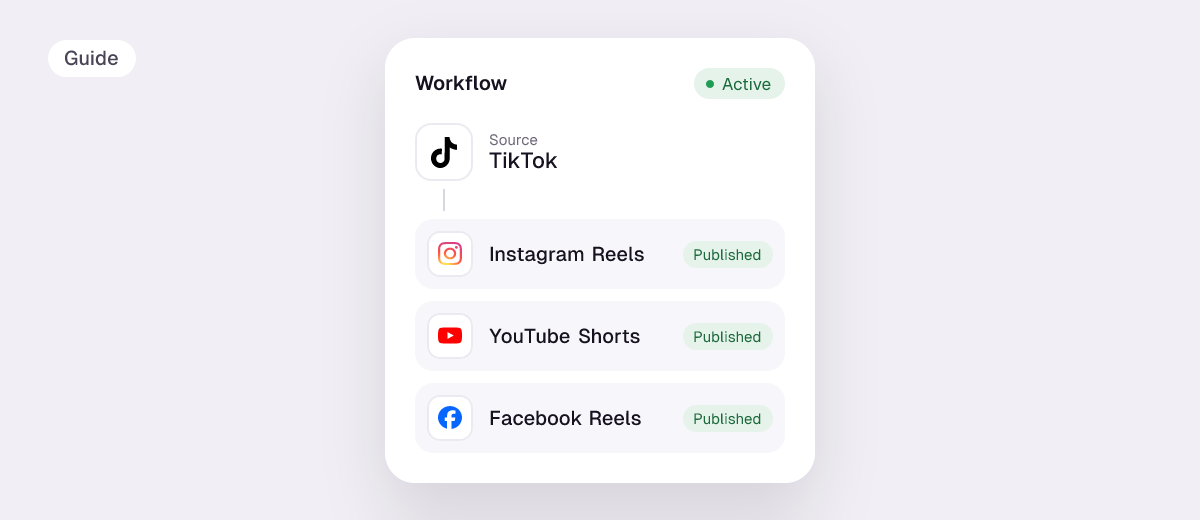
Prefer not to schedule at all? Set up a workflow instead: post on TikTok as usual and Repostit automatically reposts every new video to Instagram Reels, YouTube Shorts, Facebook Reels and Pinterest, without the TikTok watermark.
Build a TikTok content calendar
Scheduling works best with a simple content calendar. A plan most creators can keep up:
- Pick a realistic rhythm, for example 3 to 5 videos a week. Consistency matters more than volume. See how many videos you can post per day.
- Batch film once a week, then schedule everything in one sitting.
- Use content pillars (for example tutorial, behind the scenes, trend) and rotate them across the week.
- Post when your audience is active. TikTok Studio’s analytics show when your followers are online; start from our best times to post and adjust.
- Leave room for trends. Keep one or two slots open each week for something timely.
TikTok scheduling tips
- Check the video before you schedule. Vertical 9:16 at 1080×1920 works on TikTok and every other short-video app. Check any file with our free video size checker, and your caption with the caption length checker.
- Add trending sounds in the TikTok app. Licensed music from TikTok’s library is added inside TikTok, so videos posted by a tool usually use your own audio.
- Stay nearby when it goes live. Replying to early comments still helps, even when the post was scheduled.
- Reuse what works. Schedule your best TikToks for Reels and Shorts too, where they reach a new audience.
FAQ
How far in advance can you schedule a TikTok?
Up to 10 days ahead with TikTok’s built-in scheduler on desktop. Scheduling tools such as Repostit let you pick any future date.
Can I schedule TikTok posts on my phone?
Not in the TikTok app itself, which has no scheduling option. Use a TikTok scheduler like Repostit, which works from your phone.
Is there a free TikTok scheduler?
TikTok Studio on desktop is free. Repostit has a 14-day free trial with no credit card, then plans from $5 a month.
Do scheduled TikToks get less reach?
There’s no evidence that TikTok shows scheduled videos to fewer people. Reach depends on how viewers respond to the video, not on how it was posted.
Can I schedule the same video on TikTok, Instagram and YouTube?
Yes. In Repostit you add all three to one post, preview each, and schedule them together. See how to post to all social media at once.