Repostit
How to Post to All Social Media at Once (2026): Best Cross-Posting Tools
· 5 min read
You can post to all your social media at once with a cross-posting tool: write or upload the post one time, pick the apps, and it goes out everywhere, sized for each one. Below are the three ways to do it, the tools that do it best, and what each costs for five or more platforms (prices checked on each tool’s own pricing page in November 2026).
New to this? Start with our complete guide to cross-posting.
Three ways to post everywhere at once
- Post once, and let the other apps follow automatically. You keep posting on your main app (say TikTok), and every new video is republished to Instagram Reels, YouTube Shorts, Facebook and the rest without you touching it. Best for creators who already have a habit on one app.
- Write one post and cross-post it. You create the post once in a tool, select all the apps, preview it on each, then schedule it or publish now. Best for brands, launches and anything that isn’t a video yet.
- Use the apps’ own sharing. Instagram can share posts to a linked Facebook account for free. It only covers Meta’s apps, though.
Best tools to post to all social media at once
| Tool | Platforms | Free option | Cost for 5 platforms | Posts automatically from your main app |
|---|---|---|---|---|
| Repostit | TikTok, Instagram, YouTube, Facebook, LinkedIn, X, Threads, Pinterest | 14-day free trial, no credit card | $10/mo (Starter, 1 account per platform, unlimited automated posts) | Yes, without the TikTok watermark |
| Buffer | Major networks | Free plan: 3 channels, 10 scheduled posts per channel | $25/mo ($5 per channel, billed yearly) | No, you schedule each post |
| Socialync | 9 platforms | 7-day free trial | $20/mo (5 accounts) | Check socialync.io |
| Instagram sharing | Instagram and Facebook only | Free | Not possible | Instagram to Facebook only |
Prices from repostit.io, buffer.com and socialync.io pricing pages, November 2026.
1. Repostit: post once, and every other app follows
Repostit does both kinds of posting everywhere:
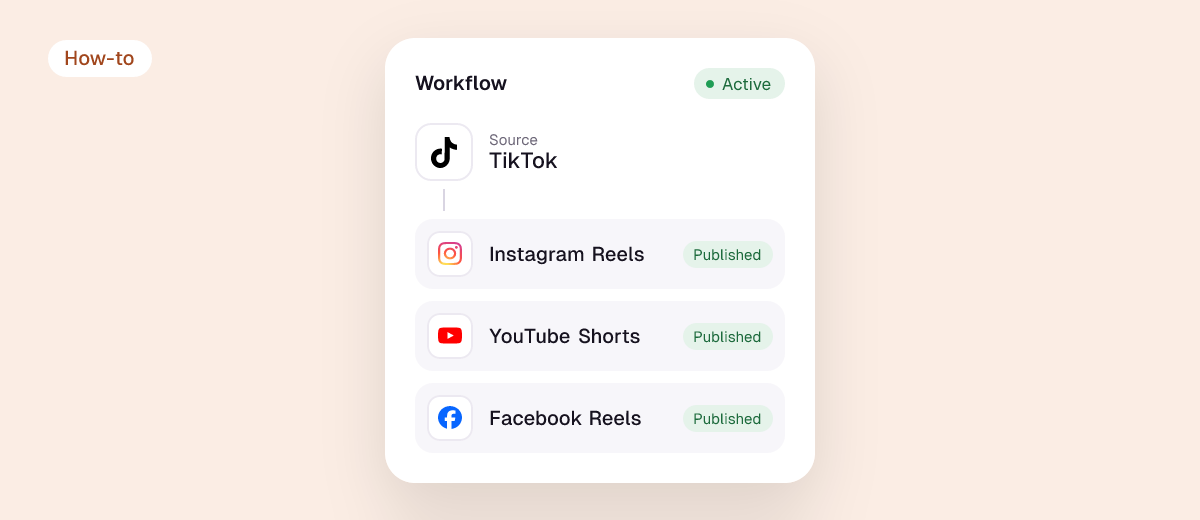
- Automatic workflows. Connect your source (for example TikTok) and your destinations once. Every new video goes out as an Instagram Reel, a YouTube Short, a Facebook Reel or a Pinterest video pin, with your caption and hashtags and without the TikTok watermark. You can also send your back catalog. See TikTok to Instagram Reels, TikTok to YouTube Shorts and TikTok to Facebook Reels.
- Cross-post one brief. In the Post planner, write a post once, add Instagram, Facebook, LinkedIn, X, Threads, Pinterest, TikTok and YouTube, check each one side by side in its own layout, then schedule it or post now. Photos and carousels work too.
Pricing: Basic $5 a month for 10 video posts; Starter $10 a month for unlimited automated posts with one account per platform; Influencer $20 a month for five accounts per platform; Agency $99 a month. Yearly prices for Starter and up. Every plan starts with a 14-day free trial, no credit card.
Turning long videos into clips first? Repostit Clips cuts a YouTube video into scored vertical clips and puts them on the same calendar.
2. Buffer
Buffer is the classic scheduler. Its free plan connects 3 channels with 10 scheduled posts per channel, and paid plans are priced per channel ($5 a month per channel on Essentials, billed yearly). It’s a good fit if you write posts by hand and post to two or three networks. It gets more expensive as you add platforms, and it doesn’t repost automatically from your main app.
3. Socialync
Socialync is built for posting short videos to many platforms. It costs $20 a month for 5 social accounts or $30 for 10, with a 7-day free trial on monthly plans.
4. Instagram’s own sharing to Facebook
If you only need Instagram and Facebook, link the two accounts and turn on sharing to Facebook. It’s free, but it doesn’t reach TikTok, YouTube, LinkedIn or X.
How to post to all social media at once with Repostit
- Connect your accounts. Each app with its own official sign-in: TikTok, Instagram, YouTube, Facebook, LinkedIn, X, Threads and Pinterest.
- Pick how you want to post. Create a workflow (your main app as the source, the others as destinations) to repost automatically, or create a brief in the Post planner to cross-post one post.
- Check one, then go Auto. Keep a workflow on Manual for the first post, check it on each app, then switch it to Auto.
Does posting the same thing everywhere hurt reach?
Not if each copy looks native. Watermarks and wrong sizes are what hold reposts back: Instagram has said it won’t recommend Reels that carry another app’s watermark. Repostit sends clean copies sized for each app. More on this in does cross-posting hurt reach?
Want the full comparison with prices and free plans? See the best cross-posting tools.
FAQ
Is there a free way to post to all social media at once?
Partly. Buffer’s free plan covers 3 channels with 10 scheduled posts each, and Instagram can share to Facebook for free. To cover TikTok, Instagram, YouTube, Facebook and more together, a paid tool is needed; Repostit starts with a 14-day free trial and costs from $5 a month.
What is the cheapest way to post to five or more platforms?
Repostit Starter at $10 a month (billed yearly) covers one account on every supported platform with unlimited automated posts. Per-channel tools cost more as you add platforms.
Can I post a TikTok to Instagram, YouTube and Facebook at the same time?
Yes. Create a Repostit workflow with TikTok as the source and Instagram, YouTube and Facebook as destinations, and every new TikTok goes to all of them, without the watermark.
Which platforms can Repostit post to?
Instagram, Facebook, LinkedIn, X, Threads, Pinterest, TikTok and YouTube.
Can I check a post before it goes out everywhere?
Yes. The Cross-post preview shows every selected channel side by side in its own layout, and workflows can stay on Manual so you approve each post.