Repostit
Best Cross-Posting Tools in 2026 (Compared, With Prices)
· 4 min read
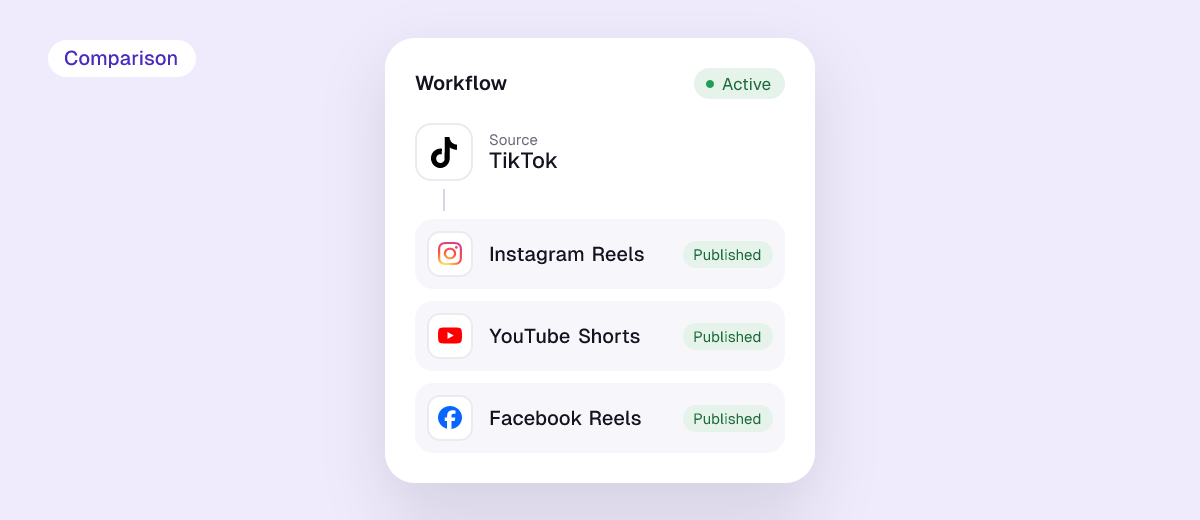
A cross-posting tool publishes your content to several social networks for you, so you don’t have to upload the same video or post four times. They fall into two groups, and choosing the right group matters more than choosing the brand:
- Automatic reposters watch the account you already post on (usually TikTok or Instagram) and republish every new video to your other apps. You change nothing about how you post.
- Schedulers let you write one post, pick the networks, preview each version and schedule it. They’re better for written posts, images and planned campaigns.
Disclosure: we make Repostit, which is on this list. Prices below are from each company’s pricing page, checked in November 2026.
Best cross-posting tools at a glance
| Tool | Type | Best for | Free option | Paid from |
|---|---|---|---|---|
| Repostit | Automatic reposter + scheduler | Creators who post short videos on TikTok or Instagram | 14-day free trial | $5/month |
| Repurpose.io | Automatic reposter | Creators who also repurpose lives and long videos | 10 free videos, 14-day trial | $35/month |
| Buffer | Scheduler | Simple scheduling across many networks | Free plan: 3 channels, 10 queued posts each | $5 per channel/month (yearly) |
| Publer | Scheduler | Cheap scheduling with lots of features | Free plan: 3 accounts (not X) | $4 per account/month (yearly) |
| Metricool | Scheduler + analytics | Brands that want analytics and competitor tracking | Free plan: 1 brand, 20 posts/month | €16/month (Starter) |
1. Repostit: best for cross-posting short videos automatically
Repostit connects to your TikTok or Instagram and reposts every new video to Instagram Reels, YouTube Shorts, Facebook Reels, Pinterest and TikTok, without the other app’s watermark and with your caption. You can also send your existing back catalog. For written posts and images, its Post planner publishes one post to Instagram, Facebook, LinkedIn, X, Threads, Pinterest, TikTok and YouTube.
- Good: fully hands-free once set up; watermark-free copies; lowest entry price for video reposting; built-in AI clip maker for turning long videos into Shorts.
- Not as good: fewer analytics and team-approval features than the big schedulers.
- Price: from $5 a month, 14-day free trial, no credit card.
Popular routes: TikTok to Instagram Reels, TikTok to YouTube Shorts, TikTok to Facebook Reels, Instagram Reels to TikTok.
2. Repurpose.io: the established automatic reposter
Repurpose.io pioneered the “post once, publish everywhere” workflow. It watches your TikTok, Instagram or Facebook (including Facebook Lives) and republishes to your other accounts.
- Good: mature product, many source types, high limits (5,000 videos a month on Starter).
- Not as good: the entry plan is $35 a month, which is a lot if you post a few videos a week.
- Price: Starter $35, Pro $79, Agency $179 a month; 10 free videos and a 14-day trial.
Comparing the two directly? See the best Repurpose.io alternatives.
3. Buffer: simplest scheduler
Buffer is a clean, easy scheduler: write a post, pick channels, queue it. It supports Instagram, TikTok, YouTube, Facebook, LinkedIn, X, Threads, Pinterest, Bluesky, Mastodon and more.
- Good: very easy to use, generous free plan, pay only for the channels you connect.
- Not as good: it doesn’t watch your TikTok or Instagram and repost automatically; every video is uploaded through Buffer.
- Price: free for 3 channels; Essentials $5 and Team $10 per channel per month, billed yearly.
4. Publer: most features for the price
Publer is a scheduler with a lot packed in: unlimited scheduling, first-comment scheduling, RSS automations, and on the Business plan best-time-to-post suggestions and an API.
- Good: low per-account price, strong feature list.
- Not as good: priced per social account, so 4 networks × 2 brands adds up; no automatic reposting from your TikTok.
- Price: free for 3 accounts (X excluded); Professional $4 and Business $8 per account per month, billed yearly.
5. Metricool: scheduling plus analytics
Metricool combines a planner with analytics, competitor tracking and reports, which makes it popular with brands and agencies.
- Good: strong analytics and reporting, manage several brands.
- Not as good: X and some analytics are paid add-ons; the free plan is limited to 20 posts a month.
- Price: free for 1 brand; Starter from €16 a month.
How to choose a cross-posting tool
- Do you post short videos on one main app? Pick an automatic reposter (Repostit or Repurpose.io). You keep posting where you already do, and the copies happen on their own.
- Do you plan written posts, images and campaigns? Pick a scheduler (Buffer, Publer, Metricool, or Repostit’s Post planner).
- Check watermarks. Instagram has said it won’t recommend Reels that carry another app’s watermark, so make sure the tool posts clean copies.
- Count how you’re billed. Per channel, per account, per brand or per video: price the setup you actually have.
- Test before you automate. Run one post through manually and check it on every app.
New to the idea? Start with our guide to cross-posting and how to post to all social media at once. Before you post, check your file with the free video size checker.
FAQ
What is the best cross-posting tool?
For short videos, an automatic reposter such as Repostit (from $5 a month) or Repurpose.io (from $35 a month). For written posts across many networks, a scheduler like Buffer or Publer.
Is there a free cross-posting tool?
Buffer, Publer and Metricool have free plans with limits (3 channels, 3 accounts and 20 posts a month respectively). Repostit and Repurpose.io offer free trials.
Can I cross-post TikTok videos without the watermark?
Yes. Automatic reposters like Repostit take the original video from your account and post it without the TikTok logo or username.
What’s the difference between a cross-posting tool and a scheduler?
A scheduler publishes posts you create inside it. An automatic cross-posting tool watches the account you already post on and republishes each new post to your other apps, with no extra step.