Repostit
Cross-Posting: What It Is and How to Do It Right (2026 Guide)
· 5 min read
Cross-posting means publishing the same piece of content on more than one platform or account: the same video on TikTok, Instagram Reels, YouTube Shorts and Facebook, or the same update on LinkedIn, X and Threads. Done well, it multiplies your reach for no extra filming. Done badly (watermarks, wrong sizes, copy-pasted captions), it looks lazy and gets less reach. This guide covers how to do it well, by hand or automatically.
What is cross-posting on social media?
On social media, cross-posting is sharing one post across several networks instead of making a new post for each. The term started in online forums and email lists, where it meant posting the same message to several groups. Today it mostly means short videos: post once, and the same video goes out to every app where your audience is.
It’s different from reposting someone else’s content (TikTok’s Repost button, Instagram’s reshare): cross-posting is your own content, on your own accounts.
Is cross-posting a good idea?
Yes, for most creators and brands, as long as each copy looks native to the app it lands on.
| Pros | Cons (and how to avoid them) |
|---|---|
| One video reaches 3–5 audiences instead of one | Watermarks: Instagram has said it won’t recommend Reels that carry another app’s watermark. Post clean copies. |
| You stay active everywhere without filming more | Wrong sizes and lengths: each app has its own limits (table below). Fit each copy to the app. |
| You learn which platform works best for your content | Platform-specific captions, tags and links don’t carry over. Check the caption on the first post of each app. |
| Old videos get a second life on new apps | Doing it by hand takes hours a week. Automate it. |
More detail: does cross-posting hurt reach?
Cross-posting rules: video limits on each platform
These are the limits that apply when a tool posts through each app’s official API, checked November 2026. Check any file against all of them at once with our free video size checker.
| Platform | Length | File size | Format |
|---|---|---|---|
| TikTok | Up to 10 minutes (some creators 3–5) | 4 GB | 9:16 recommended |
| Instagram Reels | 3 seconds to 15 minutes | 300 MB | 9:16, up to 1920 px wide |
| YouTube Shorts | Up to 3 minutes to count as a Short | — | Square or vertical |
| Facebook Reels | 3 to 90 seconds | 10 GB | 9:16, at least 540×960 |
| X (Twitter) | Up to 2 min 20 s (Premium: longer) | 512 MB | 16:9, 1:1 or 9:16 |
| Threads | Up to 5 minutes | 1 GB | 9:16 preferred |
| 3 seconds to 15 minutes | 5 GB | 9:16, 4:5, 1:1 or 16:9 | |
| 4 seconds to 5 minutes | — | 9:16 recommended |
Two traps: a YouTube Short over 1 minute with a copyright claim (for example licensed music) is blocked, and a Facebook Reel over 90 seconds won’t publish as a Reel.
How to cross-post: three ways
1. By hand
Upload your original video file (not a downloaded copy with another app’s watermark) to each app and rewrite the caption. Free, but it takes 5–15 minutes per app per video.
2. With the apps’ own sharing
Instagram can share posts to a linked Facebook account, and Meta Business Suite can publish to both. Free, but it only covers Meta’s apps.
3. With a cross-posting tool
Connect your accounts once and the tool does the rest. There are two kinds:
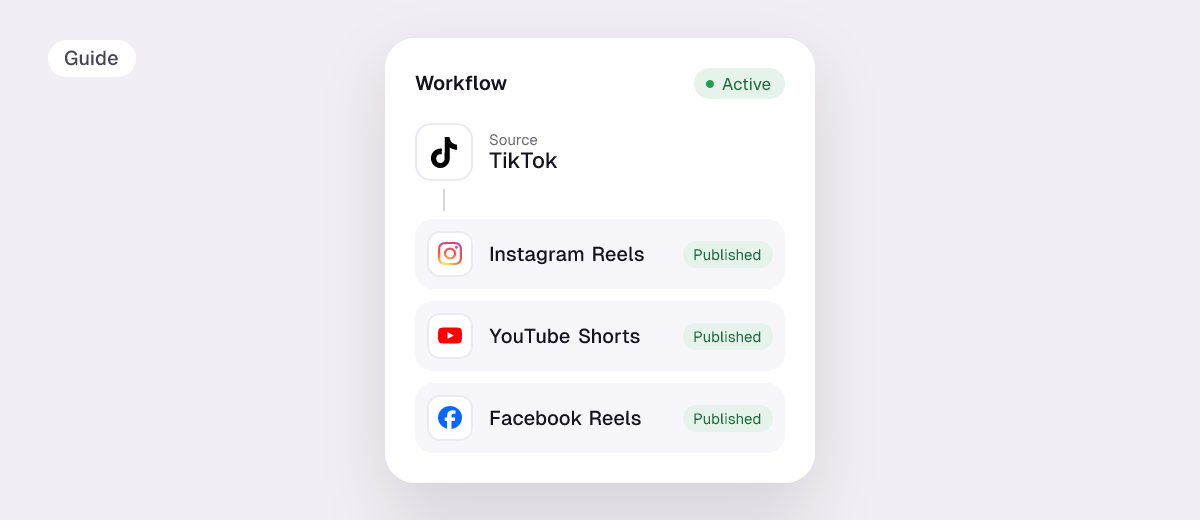
- Automatic reposting: you keep posting on your main app and every new video is republished to the others. This is what Repostit does: every new TikTok goes to Instagram Reels, YouTube Shorts, Facebook Reels and Pinterest, without the TikTok watermark, with your caption. See TikTok to Instagram Reels, TikTok to YouTube Shorts, TikTok to Facebook Reels and Instagram Reels to TikTok.
- Write once, publish everywhere: you create one post, pick the apps, preview each and schedule it. Repostit’s Post planner does this for Instagram, Facebook, LinkedIn, X, Threads, Pinterest, TikTok and YouTube.
Comparing tools and prices? See the best cross-posting tools compared, how to post to all social media at once and the best Repurpose.io alternatives.
How to cross-post automatically with Repostit
- Connect your accounts, each with its official sign-in.
- Create a workflow: your main app as the source, the others as destinations. Choose Future for new posts, Existing for your back catalog.
- Check one, then go Auto: keep it on Manual for the first post, check it on each app, then switch to Auto.
Plans start at $5 a month, with a 14-day free trial and no credit card. Making short clips from long videos first? Repostit Clips cuts a YouTube video into scored vertical clips.
Cross-posting best practices
- Always post clean copies. No TikTok logo on Reels, Shorts or Facebook.
- Fit each copy to the app: vertical 9:16 for TikTok, Reels and Shorts; check the length limits above.
- Keep captions short and front-loaded, so they work on every app; add platform-specific hashtags where they matter.
- Test before you automate: one manual post per app, then switch on automatic posting.
- Repost your back catalog gradually, spread over days instead of all at once.
FAQ
What does cross-posting mean?
Publishing the same content on several platforms or accounts, for example the same video on TikTok, Instagram Reels and YouTube Shorts.
Is cross-posting bad for reach?
Not by itself. What hurts reach is posting copies with another app’s watermark or in the wrong format. Clean, correctly sized copies perform like native posts.
What is the difference between cross-posting and reposting?
Cross-posting is sharing your own content on your other accounts. Reposting usually means resharing someone else’s post, like TikTok’s Repost button.
What is the best cross-posting tool?
For short videos, a tool that reposts automatically and removes watermarks, like Repostit (from $5 a month). For written posts across many networks, a scheduler with cross-post previews.
Can I cross-post from TikTok to Instagram without the watermark?
Yes. Repostit sends each new TikTok to Instagram as a Reel without the TikTok logo or username, with your caption and hashtags.