Repostit
How to Repost Your Videos to Other Apps Without Copyright Problems
· 4 min read
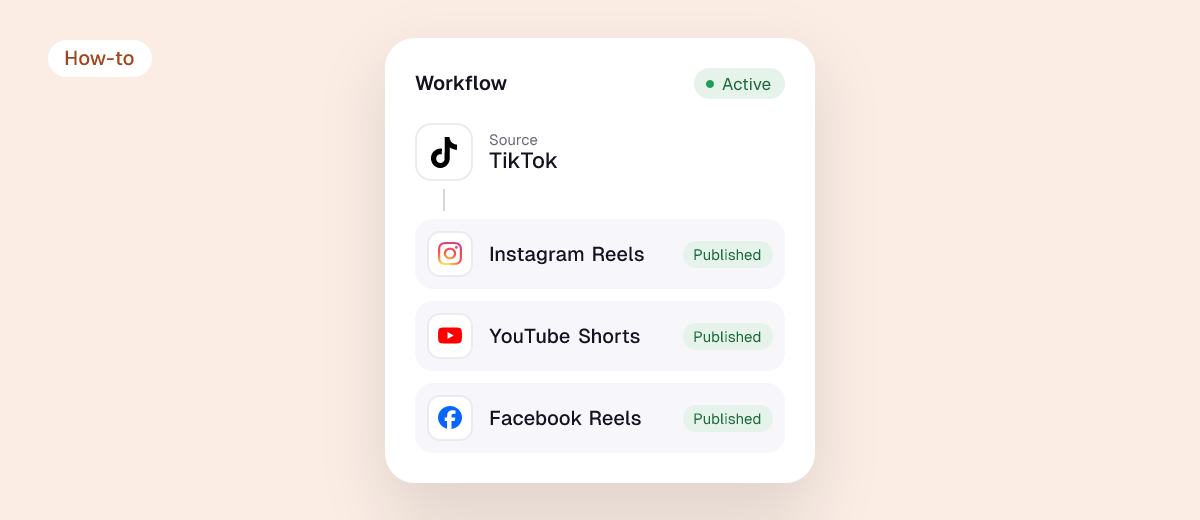
You own the copyright in videos you made, so reposting them to other apps is not a copyright problem in itself. What causes claims, mutes and blocked videos when you repost a TikTok to YouTube, Instagram or Facebook is almost always the music: a song from TikTok’s sound library is licensed for use on TikTok, not for the copy you upload somewhere else. The other common causes are clips, footage or images you didn’t create.
This guide explains what actually triggers copyright action on each app, how to repost safely, and what to do if a repost gets claimed.
What’s safe and what isn’t
| Content in your video | Safe to repost to other apps? |
|---|---|
| Your own footage, voice and original audio | Yes |
| Royalty-free or properly licensed music (licence covers all platforms) | Yes, check the licence terms |
| A popular song added from TikTok’s or Instagram’s in-app library | Risky: the licence covers that app only |
| TikTok Commercial Music Library tracks | No: licensed for use on TikTok only |
| Clips from films, TV, sports or other creators | No, unless you have permission or a clear fair use case |
| Someone else’s whole video | No: use the app’s Repost button instead |
Why the music is the problem
When you add a song inside TikTok or Instagram, you’re using that app’s licence with the music rights holders. The licence covers use in that app. Once you download the video and upload it elsewhere, the new platform’s rules apply, and its detection systems (YouTube Content ID, Meta’s rights manager) recognise the song.
Business accounts face tighter limits: on TikTok, business accounts should use the Commercial Music Library, and on Instagram business accounts have access to a much smaller music catalogue. Using mainstream songs in branded or commercial content is a licensing issue even on the original app.
What happens on each app
YouTube Shorts
- Shorts under 1 minute with a claimed song usually stay up; ad revenue may go to the rights holder.
- Shorts between 1 and 3 minutes with an active Content ID claim are blocked globally: not playable, not recommended, not monetised. YouTube says your channel isn’t penalised, and you can remove the claimed music or dispute the claim (YouTube Help).
- Copyright strikes (which do affect your channel) come from formal takedown requests, not from routine Content ID claims.

Our help guide: what happens if I repost copyrighted music to YouTube Shorts?
Instagram and Facebook
- Detected unlicensed music can lead to the audio being muted, the Reel being blocked in some regions, or reduced reach.
- Repeated violations can restrict features on the account.
TikTok
- Reels or Shorts with music reposted to TikTok can be muted if the sound isn’t cleared for TikTok use.
- Videos uploaded from other sources without adding anything new (others’ content) are ineligible for the For You feed.
How to repost your own videos safely
- Record with original audio (voice, ambient sound) whenever possible, then add music inside each app separately if you want trending sounds there.
- Use royalty-free music with a licence that covers all social platforms if you want the same track everywhere. YouTube’s own Audio Library tracks don’t get Content ID claims on YouTube.
- Keep Shorts under 60 seconds if they contain a commercial song, to avoid the 1–3 minute global block rule.
- Exclude risky videos from automatic reposting: paid partnerships with platform-limited rights, videos with Commercial Music Library tracks, and anything with clips you don’t own.
- Test one video per app before automating, and check the sound on the published copy.
- Don’t repost other people’s videos. Use the native Repost button or get written permission. See the best repost apps.

What to do if a repost gets claimed
| Situation | What to do |
|---|---|
| YouTube Content ID claim on a short Short | Often nothing; it stays up. Or remove/replace the song in YouTube Studio’s editor |
| Short (1–3 min) blocked | Remove the claimed segment, or trim the Short under 60 seconds and re-upload |
| Instagram/Facebook audio muted | Re-upload with original or licensed audio |
| Claim is wrong (it’s your own music or you hold a licence) | Dispute it with proof of rights |
| Copyright strike or takedown | Take it seriously: don’t re-upload the same content, and contest only if you hold the rights |
Reposting with Repostit
Repostit publishes your own videos to TikTok, Instagram, YouTube, Facebook, X, Threads, LinkedIn and Pinterest with the TikTok watermark removed. Licensing still follows the music in your video, so use Manual mode to skip videos with licensed tracks, and run the rest on Auto. Our guide how to repost safely across TikTok, YouTube, Facebook and Instagram has the full checklist.
This article is general information, not legal advice. For commercial campaigns, check your music licences or ask a lawyer.
FAQ
Can I get a copyright strike for reposting my own TikTok to YouTube?
Not for your own footage. A song added from TikTok’s library can trigger a Content ID claim on YouTube, which isn’t a strike. Strikes come from formal takedown requests.
How do I repost a TikTok to YouTube without copyright problems?
Use original audio or royalty-free music cleared for all platforms, keep Shorts with commercial songs under a minute, and remove the TikTok watermark.
Does crediting the artist make it OK?
No. Credit doesn’t replace a licence.
Is reposting someone else’s video fair use?
Rarely. Fair use depends on commentary, transformation and other factors; a straight re-upload almost never qualifies, and platforms limit unoriginal reposts regardless.
Why did my reposted Reel get muted?
The music was detected and isn’t licensed for that use on Instagram, often because it came from another app’s library or the account is a business account.