Repostit
How to Connect X (Twitter) to Facebook in 2026 and Post to Both
· 4 min read
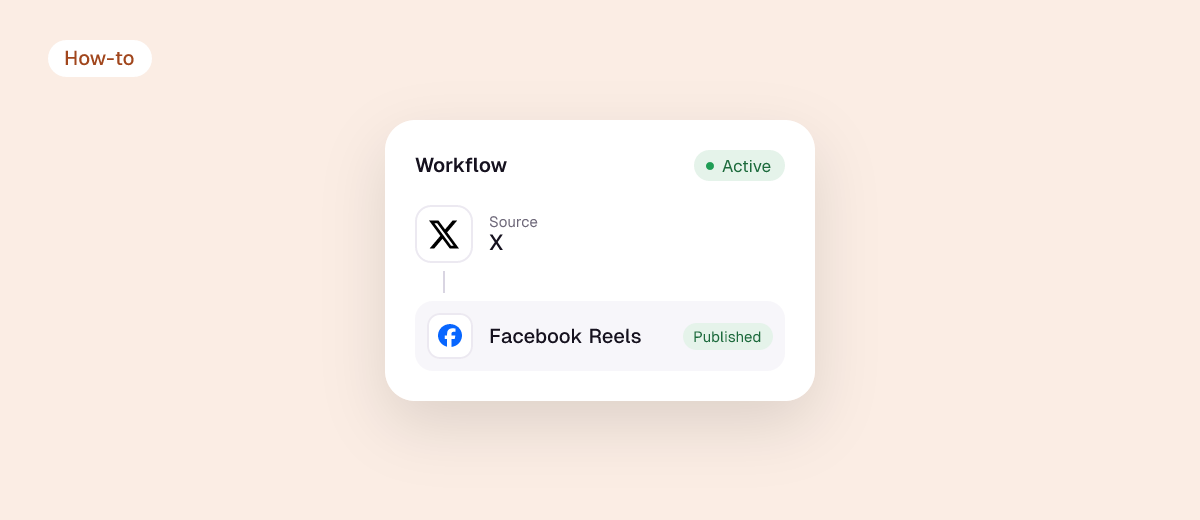
You can’t connect X (Twitter) and Facebook directly anymore. The old built-in option that sent your tweets to Facebook stopped working in August 2018, when Facebook retired the permission that let apps post to people’s profiles, and neither Facebook nor Meta Business Suite offers an X connection today. To post to both at once, you need a tool connected to each account. The good news: it takes about five minutes, and the same setup can also cover Instagram, TikTok, Threads and LinkedIn.
Your options at a glance
| Method | Direction | Automatic? | Cost |
|---|---|---|---|
| Copy and paste | Either | No | Free |
| Share a link to your post | Either | No, and it only shares a link | Free |
| Scheduler (Buffer, Hootsuite, etc.) | Write once, post to both | Scheduled by you | Free tiers to paid |
| Automation (Zapier, Make, IFTTT) | One triggers the other | Yes, if you build it | Free tiers to paid |
| Reposting tool (Repostit) | Your main app → X and Facebook | Yes | From $5/month, 14-day free trial |
Why the native link disappeared
For years, X (then Twitter) had a setting that posted every tweet to your Facebook profile. It depended on a Facebook permission called publish_actions. Facebook deprecated it in 2018 as part of tightening third-party access after the Cambridge Analytica scandal, and from August 1, 2018 apps could no longer post to personal Facebook profiles. Facebook Pages are still reachable through Meta’s official Pages API, which is what posting tools use today.

That last point matters: tools can post to a Facebook Page, not to a personal profile. If you want your posts on your personal Facebook, share them manually.
Method 1: post to X and Facebook automatically with a reposting tool
Best if you already post somewhere first (TikTok, Instagram, YouTube or Facebook) and want the same post on X, and on Facebook if it isn’t already the source.

- Sign up for Repostit (14 days free, no card).
- Connect your source account, for example TikTok or Instagram, with the official sign-in.
- Connect X and your Facebook Page. You’ll approve access on X and on Facebook; Repostit never sees your passwords.
- Create a workflow: source → X + Facebook (add Threads or LinkedIn too if you like).
- Publish one test on Manual, check both posts, then switch to Auto.
Videos are resized for each app and the TikTok watermark is removed. Captions and hashtags carry over; trim long captions in the workflow if you want them to fit X’s character limit.
Method 2: write once, schedule to both
If your posts start as text (news, links, announcements), a scheduler is simpler: write the post, tick X and your Facebook Page, schedule. Buffer’s free plan covers 3 channels. See our comparison of Buffer and Hootsuite for video-heavy accounts.
Method 3: build your own automation
Zapier, Make or IFTTT can watch your Facebook Page for new posts and create a post on X (or the reverse). It works for simple text and links. It gets fragile with video, where each app has its own format and upload rules, and since X changed its API pricing, X support on automation platforms has become patchy and often needs a paid plan. Our Zapier comparison and IFTTT comparison cover the trade-offs.
Method 4: by hand
For an occasional post, copy the text and media and post it in each app. Avoid sharing a screenshot of a tweet to Facebook as your only content: it reads as a repost and gets less engagement than a native post.
Tips for posting the same thing to X and Facebook
- Lead with the point. X shows less text before cutting off; put the hook first.
- Hashtags: one or two on X is plenty, and Facebook rarely benefits from them.
- Native video beats links on both: upload the file rather than linking to YouTube or TikTok.
- Tag carefully. Handles differ between apps, so a tag that works on X will be plain text on Facebook.
FAQ
Can I link my Twitter to my Facebook profile?
No. Since 2018 no app can post to a personal Facebook profile. You can add your X link to your Facebook profile’s contact info, and tools can post to Facebook Pages.
How do I post to Twitter and Facebook at the same time?
Use a scheduler or a reposting tool connected to both. Write or publish once, and it sends to X and your Facebook Page.
Can Facebook automatically post to X?
Not natively. Use a tool that watches your Facebook Page and posts to X, or a reposting tool with a workflow that uses your Facebook Page as the source and X as a destination.
What about Instagram and Threads?
Instagram can share to Facebook natively through Accounts Center. For everything else, see how to link all your social media accounts.