Repostit
spam_
· 5 min read
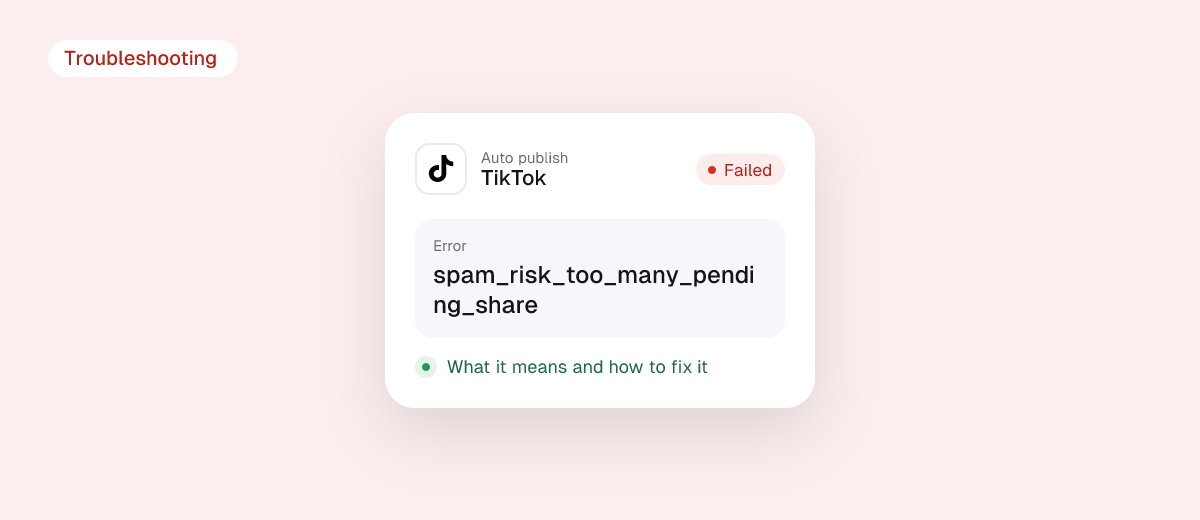
spam_risk_too_many_pending_share is the error TikTok returns when an app tries to send a video to your TikTok inbox while you already have 5 or more unfinished uploads waiting there from the last 24 hours. Nothing is wrong with your account and you are not being flagged as spam. You just need to clear the drafts that are waiting in TikTok, or wait for the 24-hour window to roll over.
This guide explains exactly what a “pending share” is, how to clear them in under a minute, how to stop the error from coming back, and what developers should change in their integration.
The short answer
- What it means: TikTok allows at most 5 pending shares per user in any 24-hour period. You have hit that cap.
- Who sees it: anyone using a scheduler, reposting tool, editor or AI tool that sends videos to TikTok as drafts (TikTok calls this “Upload” or “Media upload” mode).
- Quick fix: open the TikTok app, tap the notifications that say a video is ready to edit, and either post or delete each one. Then try again.
- Permanent fix: post directly instead of sending drafts, or keep fewer than 5 drafts waiting at any time.
What a “pending share” is
TikTok gives apps two ways to publish a video through its official Content Posting API:
| Mode | What happens | Pending share? |
|---|---|---|
| Direct Post | The app publishes the video straight to your profile with the caption and settings you chose. | No |
| Upload (inbox / draft) | The app sends the video to your TikTok inbox. You get a notification and finish the post inside the TikTok app. | Yes, until you post or delete it |

Every video sent in Upload mode sits in your inbox as a pending share until you act on it. TikTok’s official Upload Video reference caps this at 5 pending shares within any 24-hour period. The sixth upload is rejected with HTTP 403 and the code spam_risk_too_many_pending_share.
The name sounds alarming, but “spam risk” here only describes why TikTok has the limit: it stops apps from flooding a person’s inbox with drafts nobody finishes.
How to fix it right now (creators)
- Open the TikTok app on the account that shows the error.
- Go to Inbox and look for system notifications saying a video from an app is ready to edit or post.
- For every waiting video, either post it or delete it. Both actions clear the pending share. Leaving it open does not.
- Retry the upload from your tool. If it still fails, some of the 5 slots were used earlier in the last 24 hours. Wait until 24 hours have passed since the oldest of those uploads and try again.

If you never saw the notifications, the drafts may have been sent to a different TikTok account than the one you are checking. Make sure the account name shown in your tool matches the one you opened.
How to stop it from coming back
- Use Direct Post when your tool offers it. Direct posts never become pending shares, so this limit does not apply to them. They are subject to TikTok’s separate daily posting cap instead, which TikTok’s content sharing guidelines put at typically around 15 posts per day per creator account.
- Finish drafts the same day. If you prefer reviewing in TikTok before posting, clear your inbox every day so you never have 5 waiting.
- Don’t schedule more than 5 inbox uploads in a 24-hour window. If you batch a week of content, spread the uploads out.
- Don’t retry the same failed upload in a loop. Each retry that gets through creates another draft. Clear the inbox first, then retry once.
Similar TikTok errors and how they differ
| Error | What it means | What to do |
|---|---|---|
spam_risk_too_many_pending_share |
5 unfinished inbox drafts in 24 hours | Post or delete the drafts in the TikTok app |
spam_risk_too_many_posts |
Your account hit TikTok’s daily cap for posts made through apps | Wait for the 24-hour window to reset, post fewer videos per day |
reached_active_user_cap |
The app you use hit its own daily limit of TikTok users | Wait and retry, or post from the TikTok inbox |
unaudited_client_can_only_post_to_private_accounts |
The app has not passed TikTok’s audit yet | Use an audited app, or set your account to private for testing |
spam_risk_user_banned_from_posting |
TikTok has blocked the account from making new posts | Check the account status in the TikTok app |
access_token_invalid |
The connection to TikTok expired | Reconnect TikTok in your tool |
For the full list of daily caps across apps, see our guide to posting limits on YouTube, Instagram, Facebook and TikTok and the TikTok API daily limit.
For developers: handling the error properly
The error comes back from POST /v2/post/publish/inbox/video/init/ with HTTP 403. A few practical rules:
- Don’t treat it as retryable. Retrying immediately will fail again until the creator clears drafts or the window rolls over. Show the user a clear message instead: “You have 5 TikTok drafts waiting. Post or delete them in the TikTok app, then try again.”
- Track inbox uploads per user. Count successful inbox inits per
open_idover a rolling 24 hours and block the sixth on your side before TikTok does. - Poll the publish status. Use
/v2/post/publish/status/fetch/with thepublish_id. While the creator hasn’t acted, the status stays atSEND_TO_USER_INBOX; once they post or discard, the slot frees up. - Offer Direct Post. If your app is audited for
video.publish, Direct Post avoids the pending share limit entirely. Remember the separate limit of 6 requests per minute per user access token on the init endpoints.
Avoid the problem with Repostit
Repostit uses TikTok’s official sign-in and publishing API, and lets you choose per workflow whether a video is published automatically or waits for your approval. If you approve posts in Repostit’s Manual mode instead of in the TikTok inbox, you review every repost in one place and nothing piles up as TikTok drafts. If a TikTok repost ever fails, our help guide Why did my TikTok repost fail? walks through every cause.
FAQ
Is spam_risk_too_many_pending_share a ban?
No. It is a temporary per-user limit on unfinished drafts. A ban returns a different code, spam_risk_user_banned_from_posting.
How long does the error last?
Until you post or delete the waiting drafts, or until the oldest of the 5 uploads is more than 24 hours old. Clearing the drafts is the fastest fix.
Does deleting the draft count as clearing it?
Yes. Either posting or discarding the video ends the pending share.
Why do I see this error when I only uploaded once today?
The window is a rolling 24 hours, not a calendar day, and it counts every app that sends drafts to your account. A scheduler, an editor and an AI tool connected to the same TikTok account all share the same 5 slots.
Does this limit apply to posting from the TikTok app itself?
No. It only applies to videos sent through the API in Upload (draft) mode.