Repostit Team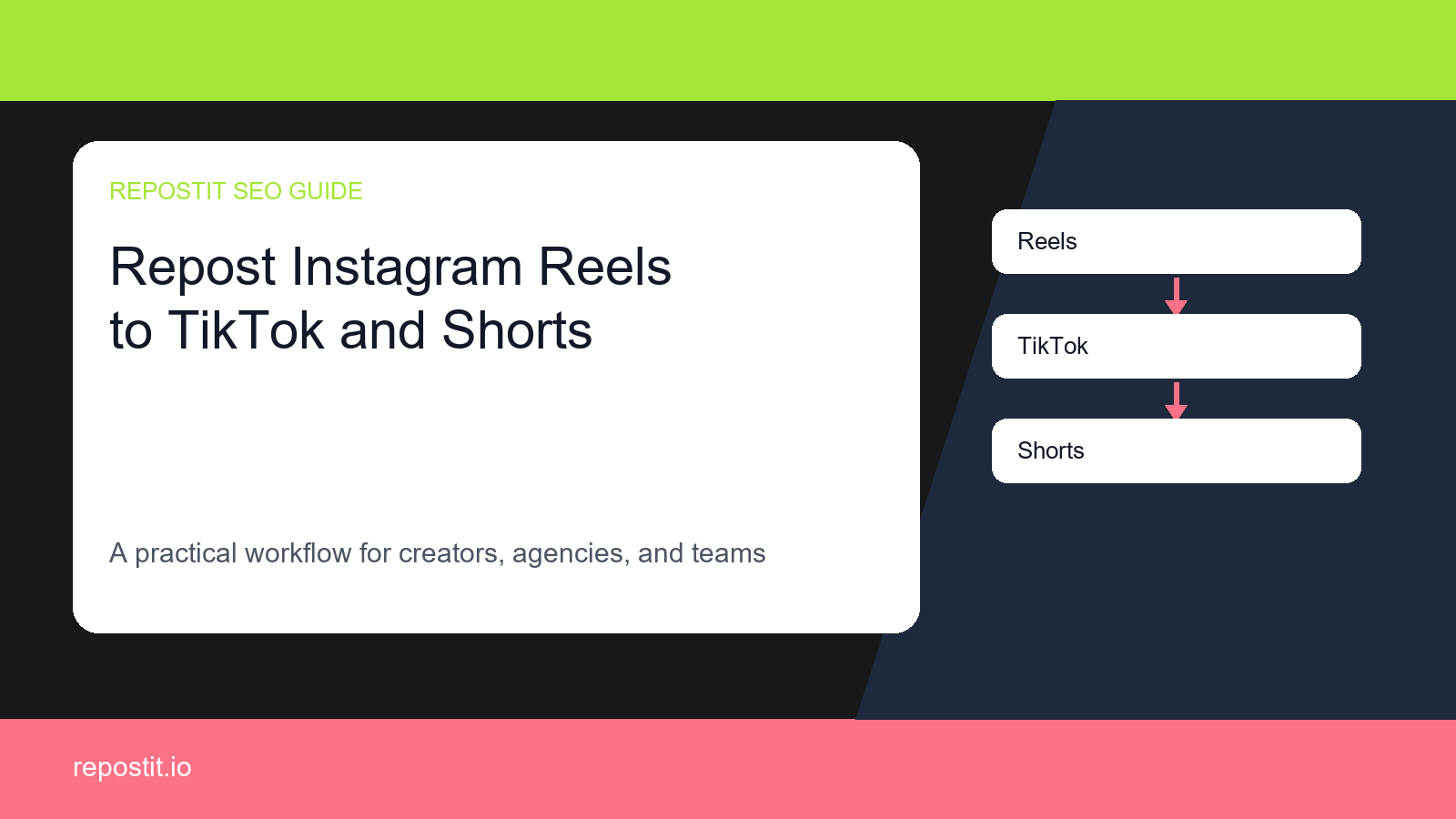
Why this workflow matters
If you already publish short-form video on Instagram Reels, every extra manual upload creates friction. You have to download the video, check formatting, rewrite captions, remember the right account, and repeat the process again for TikTok, YouTube Shorts. That work is easy to delay, which means your best videos never reach every audience they could have reached.
Repostit is designed for the repetitive part of the workflow: detect the source video, apply your rules, and repost it to the destinations you choose. The goal is simple: keep creating in the place you already like, then let automation handle distribution.
The manual way vs the automated way
Manual reposting
Download, upload, resize, re-caption, check watermarks, and repeat the same work for every destination.
Basic scheduling
Helpful for planned posts, but still often requires you to prepare each destination by hand.
Repostit workflow
Connect accounts once, choose rules, and let Repostit repost new videos automatically.
How to set it up
- Connect your Instagram Reels account inside Repostit.
- Connect the destination account or accounts for TikTok, YouTube Shorts.
- Create a reposting rule that tells Repostit which source videos should move to which destinations.
- Review caption, quality, template, resize, and watermark settings before enabling automation.
- Publish normally on Instagram Reels; Repostit handles the repeated reposting step.
Account prerequisites before automation
Most failed reposting workflows are not caused by the idea of crossposting itself. They come from account permissions, wrong destination selection, missing ownership checks, or a caption that only makes sense on the source platform. Confirm these before relying on a rule.
Instagram Reels source
Use a professional Instagram account, keep Facebook/Meta permissions current, and confirm the destination can publish Reels without an extra manual login step.
TikTok destination
Use videos you own or have rights to reuse, keep the clean source file available, and avoid moving platform-only trend hooks without review.
YouTube Shorts destination
Connect the correct YouTube channel, review Shorts formatting, and make sure the caption does not rely on source-platform language.
Suggested first automation rule
Start with a narrow rule that is easy to verify. Once the first posts look right, you can broaden the source filter, add another destination, or create a separate rule for older evergreen videos.
- Source: Instagram Reels.
- Destination: TikTok, YouTube Shorts.
- Trigger: new videos that are safe to reuse outside the source platform.
- Review mode: keep the first five reposts under manual review before fully automating.
- Success metric: extra views, follows, clicks, or saved production time from the same video.
Source-to-destination preflight
Run a quick preflight before the first automated repost so the workflow has a clean source signal, a destination-aware caption, and a simple audit trail.
Confirm the source signal
Pick one recent Instagram Reels video that already proved the hook, topic, or product angle. Use that post as the first test instead of turning on every old video at once.
Match the destination context
Before sending it to TikTok, YouTube Shorts, check whether the caption, call to action, sound reference, and first line still make sense away from the original platform.
Keep an audit trail
Record the source URL, destination URL, publish time, and any manual change made during review. That gives the team a clear answer when a client or teammate asks why a repost did or did not run.
Destination settings to review
TikTok
Confirm the video is your own reusable source, trim platform-specific calls to action, and test the first repost before expanding the rule.
YouTube Shorts
Use a direct Shorts hook, confirm the vertical crop, and keep the description useful for search instead of copying a noisy caption block.
Destination packaging acceptance criteria
Before the first automated repost goes live, define what a passing destination post looks like. This prevents a technically successful upload from still feeling off-platform, off-brand, or hard to attribute.
TikTok acceptance check
Check the opening caption line, sound reference, watermark state, hashtag set, and account identity. Do not move a video back to TikTok if the asset or caption only makes sense as an exported repost.
YouTube Shorts acceptance check
Set the Shorts title, description, visibility, channel, and thumbnail or cover-frame expectation before the rule runs. If the video mentions TikTok or Instagram, rewrite the first line so the Short feels native to YouTube.
Destination dry run before scale
Use one controlled repost to prove the destination experience before a rule becomes always-on. The goal is to confirm the live post, not just the automation settings screen.
Run one controlled repost
Choose one owned Instagram Reels video and send it only to the first approved TikTok, YouTube Shorts destination. Do not add older videos, extra accounts, or additional destinations until this controlled repost has been reviewed.
Check the live destination result
Open the destination post as a viewer and verify account name, caption, crop, sound, cover frame, link path, visibility, and final URL. A passing test should look native enough that the team would be comfortable leaving it live.
Expand only one variable
After the dry run passes, expand the workflow by one variable: another destination, a wider source filter, or a larger schedule window. If anything fails, fix that layer before turning the rule into always-on automation.
Watermark and rights checks
For TikTok-led workflows, use your own original video file or a clean export when possible. Do not use automation to copy third-party videos, hide ownership, or repost content you do not have rights to use. If a watermark appears because the only available file is a downloaded copy, review the destination platform rules and replace it with the clean source before scaling the workflow.
The safest workflow is to automate content you own, keep the cleanest source asset available, and pause any repost where the hook, caption, sound, or visual cue only works on the original platform.
Quality checklist before you turn it on
- Use the highest-quality source video available.
- Check whether the destination needs a different caption or call to action.
- Keep platform-specific hashtags useful instead of copying a noisy block everywhere.
- Review videos that mention platform-specific features before sending them somewhere else.
- Watch the first few reposts to confirm the workflow behaves the way you expect.
Platform-specific notes
Instagram Reels is the source of truth in this workflow, so treat it as the place where the original video, caption, and publishing habit begin. The destination platforms are where the same idea gets more distribution, but each destination can have a slightly different audience expectation. A caption that works on TikTok may need a more direct hook on YouTube Shorts, and a product-focused description may need a softer community angle on Instagram Reels.
The safest way to start is to automate the repetitive upload first, then review the first few reposts manually. Once the format looks right, keep the rule running for normal videos and pause it for anything that is too platform-specific, such as a video that says “follow me on TikTok” or references a TikTok-only sound, stitch, duet, comment, or trend.
Common mistakes to avoid
- Reposting every video without checking whether the hook makes sense on the destination platform.
- Using the same caption everywhere when the destination audience needs more context.
- Forgetting to check the first automated reposts before trusting the workflow at scale.
- Optimizing only for speed instead of also preserving video quality and native platform feel.
- Letting a good workflow become invisible by failing to measure which destination creates new followers, clicks, or sales.
Workflow variants
For a solo creator, the best setup is usually one source account and two destination accounts. That keeps the workflow simple enough to trust while still multiplying reach. For a small business, the better setup is often a product-video workflow and an educational-video workflow, because sales content and helpful content may need different captions. For an agency, the workflow should be split by client account so each brand keeps its own source, destination, and review rules.
If you are unsure where to start, choose the platform where you already publish most consistently as the source. Automation works best when it strengthens an existing habit instead of forcing a new one. After the first source-to-destination workflow is reliable, add the next destination or build a second workflow for older videos that deserve another round of distribution.
How to measure whether it is working
Do not judge the workflow only by whether the repost happened. The useful business question is whether the repost created extra reach without extra labor. Track how many videos were reposted, how many minutes were saved, which destination platforms produced new views, and whether any reposts created profile visits, followers, leads, or sales. For agencies, also track how much client delivery time the workflow removes each month.
A good first benchmark is simple: if the workflow saves at least one hour per week and creates additional views on a second or third platform, it is already doing its job. From there, improve captions, posting windows, and destination choices based on the results you see.
First-week measurement plan
Use the first week as a controlled test instead of turning on every possible rule at once. Keep the workflow narrow, review each repost, and only expand after the operational checks and audience signals are clear.
Repost reliability
For the first week, check every Instagram Reels video that should trigger the rule. Log whether it reposted, which destination received it, and whether any account or permission issue blocked it.
Destination lift
Compare the reposted videos on TikTok, YouTube Shorts against the source post. Look for extra views, profile visits, follows, clicks, saves, or replies that came from the same video asset.
Manual time saved
Estimate the upload, resizing, caption rewrite, and account-switching time you avoided. A small workflow is worth keeping when it saves weekly time and adds measurable reach.
Attribution path before scaling
Extra reach is useful only when the team can see what the new audience did next. Set the tracking path before broadening the workflow so every repost can be judged by a business outcome, not just whether the upload completed.
Track the landing path
Use a consistent profile link, campaign URL, or UTM-tagged destination so the repost can be tied back to trials, bookings, newsletter signups, or store visits instead of only view counts.
Separate reach from intent
Measure TikTok, YouTube Shorts impressions and views, but also mark saves, profile taps, link clicks, comments with buying intent, and any account follows that happen after the repost.
Report the business result
For creators, note the extra followers or subscribers. For businesses and agencies, connect the repost to leads, trial starts, product clicks, or client-facing proof that distribution created value.
Conversion handoff after the repost
The workflow is only useful if the new destination can send people somewhere meaningful. Before scaling, connect the reposted video to a simple next step and keep enough proof to improve the next rule.
Destination profile path
Before the first repost reaches TikTok, YouTube Shorts, confirm the profile link, pinned post, store link, or booking path matches the reason someone would follow the video.
Caption call to action
Keep the repost caption specific enough to move a viewer to the next step: follow, save, visit, join, book, or compare. Do not rely on a source-platform CTA that no longer makes sense.
Proof for the next rule
Save the destination URL, result, and cleanup notes. Use that proof to decide whether the next workflow should add another destination, change captions, or keep the rule narrow.
Publish proof before expanding
For high-intent reposting workflows, the safest scale path is evidence first: prove the source, prove the destination, and only then broaden the automation rule.
Capture the source proof
Save the original Instagram Reels URL, account label, source caption, and clean video file before the repost runs. If a teammate questions ownership, timing, or caption changes later, this is the evidence that keeps the workflow auditable.
Capture the destination proof
After the first repost reaches TikTok, YouTube Shorts, save the destination URL, publish time, final caption, thumbnail or cover frame, and any manual cleanup. That gives the team a clear comparison against manual uploading.
Decide the next action
If the proof shows a clean repost and useful audience signal, expand one variable at a time. If it shows a caption, permission, or quality problem, fix that layer before adding another destination or older videos.
Review controls before full automation
A reposting workflow should have a human release rule before it becomes always-on. Decide who checks the first posts, what proof is required, and when the rule should pause.
Name the reviewer
Decide who owns the first Instagram Reels to TikTok, YouTube Shorts repost checks before the rule runs. For creators this can be the account owner; for agencies it should be the client lead or operator who can approve captions, account routing, and failed-post cleanup.
Set the release rule
Keep the first batch in review until three to five reposts publish cleanly with the right account, caption, destination URL, and quality. Only then let the workflow move from manual review to normal automation.
Define the pause trigger
Pause the rule when ownership is unclear, a destination account changes, a watermark or audio issue appears, or two posts fail in a row. A clear pause rule prevents a small setup issue from becoming a visible publishing mistake.
Failed-repost notification path
Automation should not hide failures. Set the alert owner, evidence package, and retry window before the first unattended repost so the team can recover quickly without guessing what broke.
Route alerts to the owner
Before the Instagram Reels to TikTok, YouTube Shorts rule runs unattended, decide who gets the failed-post alert, which channel they check first, and how quickly they need to respond. A clear owner keeps one broken connection from delaying the whole content calendar.
Include the evidence
Every alert should point to the source post, intended destination, account label, error reason, and last successful repost. That context lets the reviewer fix the permission, caption, quality, or destination issue without rebuilding the workflow from memory.
Keep a retry window
Set a short retry window for temporary platform errors, then escalate anything that repeats. The goal is to recover normal reposting quickly while still stopping account, rights, or wrong-destination problems before they repeat.
Escalation rules for risky reposts
Not every failed or awkward repost means the workflow is bad. Define the cases that need a human decision so automation pauses for the right reasons and keeps safe posts moving.
Account mismatch
If the first Instagram Reels to TikTok, YouTube Shorts repost lands on the wrong account, stop the rule before sending another video. Recheck the connected account name, destination page or channel, and any client-specific routing note before the next test.
Caption or context mismatch
If the upload succeeds but the caption, hook, link, or platform reference feels wrong, keep automation paused. Fix the destination copy rule first so the next repost reads like a native post instead of a copied one.
Rights or quality mismatch
If ownership, watermark state, audio rights, cover frame, or video quality is unclear, move the item back to manual review. Automation should resume only after the clean source asset and destination-ready package are confirmed.
Rollback plan after a bad repost
Even a careful workflow needs a recovery path. Decide what happens after a wrong-account post, caption mismatch, or quality problem so the team can correct the visible issue and repair the rule before the next repost.
Remove or correct the bad post
If a Instagram Reels to TikTok, YouTube Shorts repost goes live with the wrong caption, account, crop, link, or rights signal, decide whether it should be deleted, edited natively, or left up with a correction before the next automated item runs.
Fix the rule before retrying
Change only the layer that failed: source filter, destination account, caption rewrite, cover frame, watermark rule, approval step, or posting window. Retest with one owned video before reopening the queue.
Record the recovery evidence
Save the source URL, failed destination URL, cleanup action, rule change, reviewer, and successful retry URL. That record keeps agencies and teams from repeating the same visible mistake later.
What to do when a repost fails
A failed repost should not send the team back to manual uploading. Treat it as an operations signal: identify whether the source rule, destination permission, or asset quality caused the problem, fix that layer, then test with the smallest useful rule.
If the source video is skipped
Check whether the latest Instagram Reels video matches the rule, uses a reusable asset, and is visible to the connected account. Start with one recent post before widening the trigger.
If a destination fails
Review the connected TikTok, YouTube Shorts account permissions, page/channel selection, caption length, aspect ratio, and whether the destination needs a fresh authorization.
If quality looks off
Pause the rule, compare the clean source file with the repost, then adjust caption, crop, template, watermark handling, or review mode before turning automation back on.
Who should use this
This workflow is especially useful for a social media manager publishing at least a few short-form videos per week. The more often you publish, the more expensive manual reposting becomes. At that point the problem is not just time; it is consistency. Automation keeps the distribution habit alive even when the week gets busy.
Related workflows
FAQ
Can I repost Instagram Reels to TikTok automatically?
Yes. Repostit is built to detect new short-form videos on Instagram Reels and repost them to TikTok, YouTube Shorts based on the workflow rules you choose.
Do I still need to upload the same video manually on every platform?
No. The point of the workflow is to publish once, then let Repostit handle the repeated distribution step so your time goes into making better videos.
Who is this workflow best for?
It is best for a social media manager publishing short-form videos every week and trying to stay active on more than one platform without adding another manual checklist.
What should I check before turning on automation?
Check the source account, destination account, caption rules, video quality, and whether each platform needs a slightly different posting style or description.
Start with one workflow
Connect one source account, one destination account, and let Repostit prove the time savings on your next few videos.