 Gianni Cassoni
How to Link TikTok to Instagram: A Complete Strategy Guide for Creators
For digital content creators and social media managers, understanding how to link TikTok to Instagram is a fundamental strategy for maximizing audience growth across platforms. Cross-posting short-form video content allows you to reach entirely different demographics without doubling your production workload. However, moving content between these two platforms is not as simple as copying and pasting, it requires navigating watermark policies, algorithmic preferences, API rate limits, and file format specifications.
This guide covers everything you need to know about how to link TikTok to Instagram, from basic manual methods to fully automated workflows that scale with your content calendar. Whether you are a solo creator or an agency managing dozens of accounts, mastering how to link TikTok to Instagram will save you hours every week while expanding your reach. If you are looking for automated content reposting across platforms, check out Repostit.io for a streamlined automation solution.
Why Cross-Posting Between TikTok and Instagram Matters
Distributing short-form video content across both TikTok and Instagram Reels creates redundancy that protects against platform volatility. If one platform changes its algorithm overnight, something that TikTok has done repeatedly, your audience on the other platform remains unaffected. This is one of the core reasons creators seek to learn how to link TikTok to Instagram in the first place.
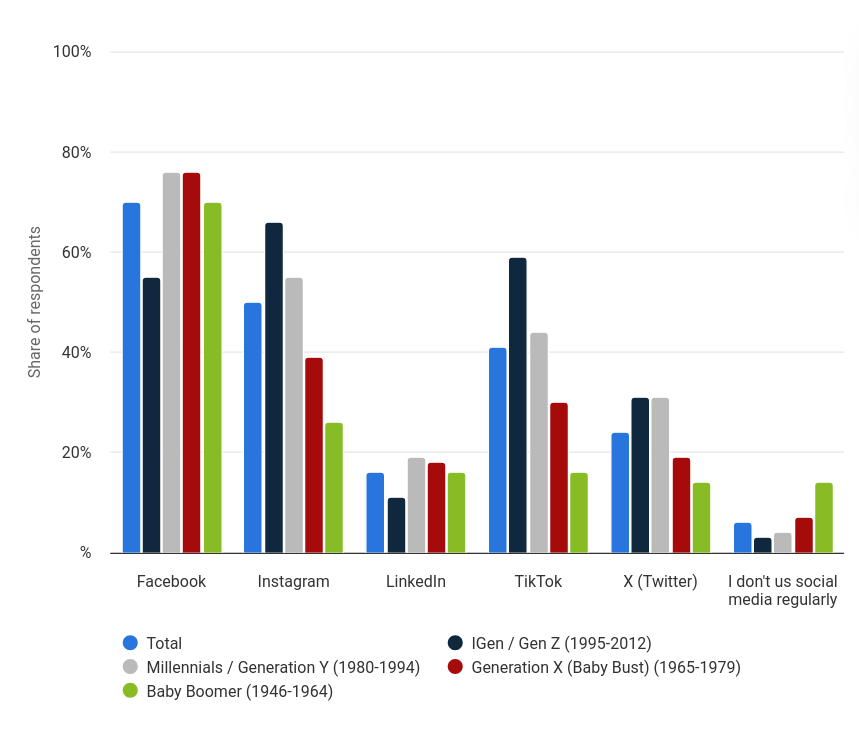
While both platforms use the same 9:16 vertical video format, their audiences differ significantly. Before diving into the specifics of how to link TikTok to Instagram, it helps to understand what makes each platform unique. The following table summarizes the key differences:
| Factor | TikTok | |
|---|---|---|
| Monthly Active Users | 1.5B+ | 2B+ |
| Primary Demographics | 16–30, discovery-driven | 25–45, purchase-ready |
| Discovery Model | Algorithm-first (For You Page) | Social graph + Explore tab |
| Content Culture | Sound-driven, trend-based | Visual polish, grid aesthetics |
| E-Commerce | TikTok Shop (growing) | Mature shopping integration |
| Growth Potential | Viral from zero followers | Slower, but higher follower loyalty |
Successfully bridging these platforms requires overcoming two primary technical hurdles: watermarking and automation limits. Both of these are addressed in detail below.
Method 1: How to Link TikTok to Instagram Manually
The most straightforward approach to how to link TikTok to Instagram involves manually managing files between your devices and the two platforms. While cost-effective, this method is labor-intensive and difficult to scale beyond a few posts per week. It is, however, the best starting point for creators who are new to cross-posting.
Using the Native Share Function
TikTok includes a built-in function to share videos directly to Instagram Stories or your camera roll. While this is the quickest way to move content, it comes with a significant drawback: the exported video includes a watermark containing the TikTok logo and your username.
This matters because Instagram has publicly stated that their algorithm deprioritizes content with visible watermarks from competing platforms. Using this method effectively throttles your own organic reach before you even publish. Anyone serious about learning how to link TikTok to Instagram should avoid relying on this approach for Reels content.
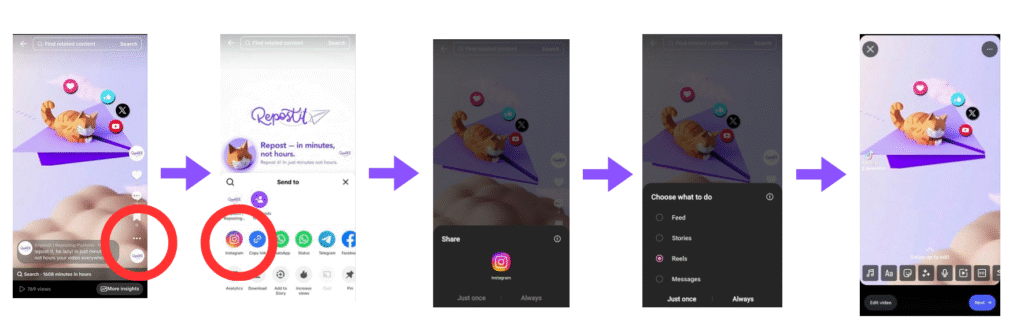
For casual sharing or Instagram Stories where reach is less critical, the native share function is acceptable. For Reels intended to attract new followers, it is strategically inadvisable.
The Pre-Publication Save Method
A professional best practice when learning how to link TikTok to Instagram is to download the finalized video file before it is published to TikTok. The step-by-step process is:
- Edit your video in TikTok’s editor — apply all effects, text overlays, and audio.
- Tap “Save to Device” before tapping “Post.” This preserves a clean, watermark-free master file.
- Publish to TikTok with TikTok-optimized captions and hashtags.
- Upload the saved file to Instagram Reels with a separate caption, hashtag set, and custom cover image.
The key advantage is that Instagram treats the upload as original content, giving it full algorithmic consideration rather than penalizing it as recycled material from a competitor. The downside is obvious: this requires discipline and an extra step every time you publish. For creators posting daily, this manual overhead adds up quickly, which is why many graduate to automated methods of how to link TikTok to Instagram.
Method 2: How to Link TikTok to Instagram with Automation
For creators managing high-volume schedules, multiple accounts, or agency workflows, manual transfer is simply not sustainable. Automation tools provide a scalable solution for how to link TikTok to Instagram by handling file detection, watermark removal, metadata optimization, and scheduled publishing — all without manual intervention.
Automated Workflows with Repostit
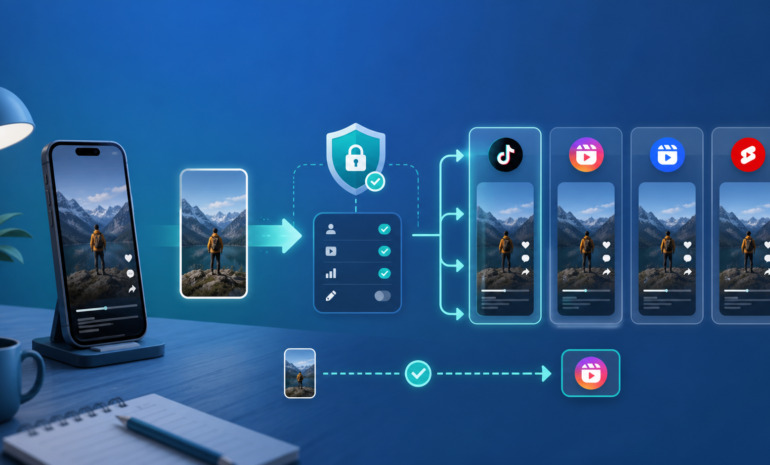
Repostit offers a “Future Content Workflow” that automates the entire pipeline of how to link TikTok to Instagram. The system monitors a source TikTok account for new uploads. Upon detecting a new video, it retrieves the highest resolution file available, strips metadata and watermarks, and queues it for publication on Instagram at a time you specify.
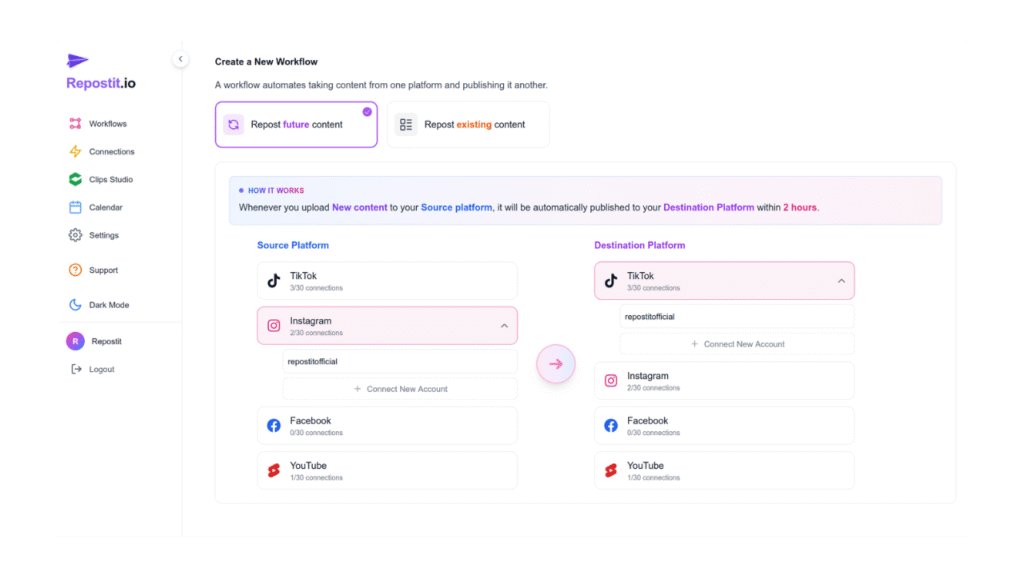
This approach ensures consistencies that manual processes cannot match:
| Feature | What It Does | Why It Matters |
|---|---|---|
| Metadata Optimization | Customize captions and hashtags per platform | TikTok’s FYP and Instagram’s Explore tab have different discovery mechanics |
| Timing Control | Schedule uploads for platform-specific peak hours | Optimal posting times vary by industry and timezone |
| Quality Assurance | Maintains original file integrity | Avoids compression artifacts from screen recording or unreliable download sites |
| Always-On Consistency | Runs while you sleep, travel, or produce content | Eliminates the “I forgot to repost” problem entirely |
Optimizing Content When Cross-Posting
Knowing how to link TikTok to Instagram is only half the equation. The other half is ensuring the content actually performs on both platforms. A video that goes viral on TikTok may underperform on Instagram if you do not adapt it to the platform’s unique characteristics.
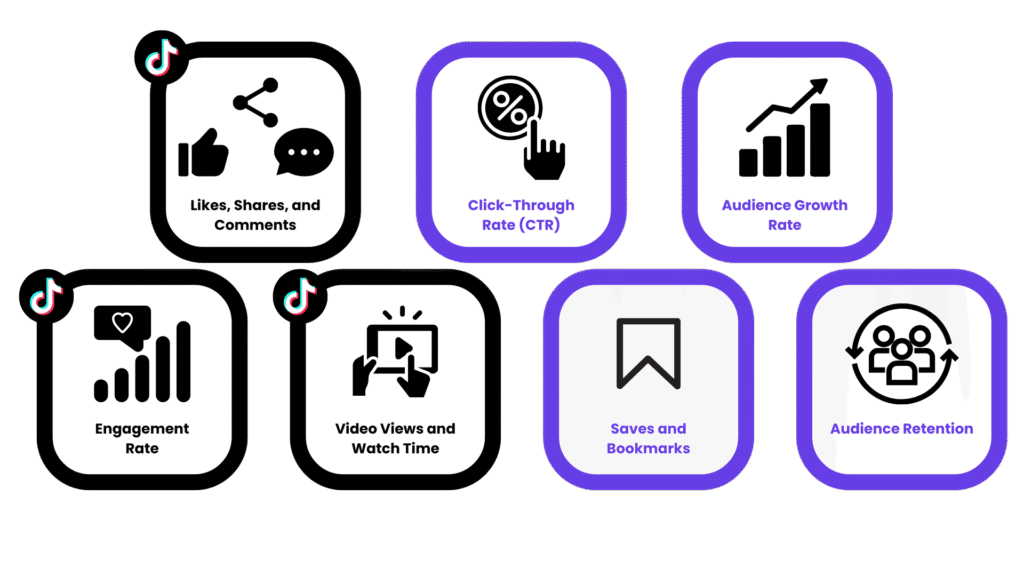
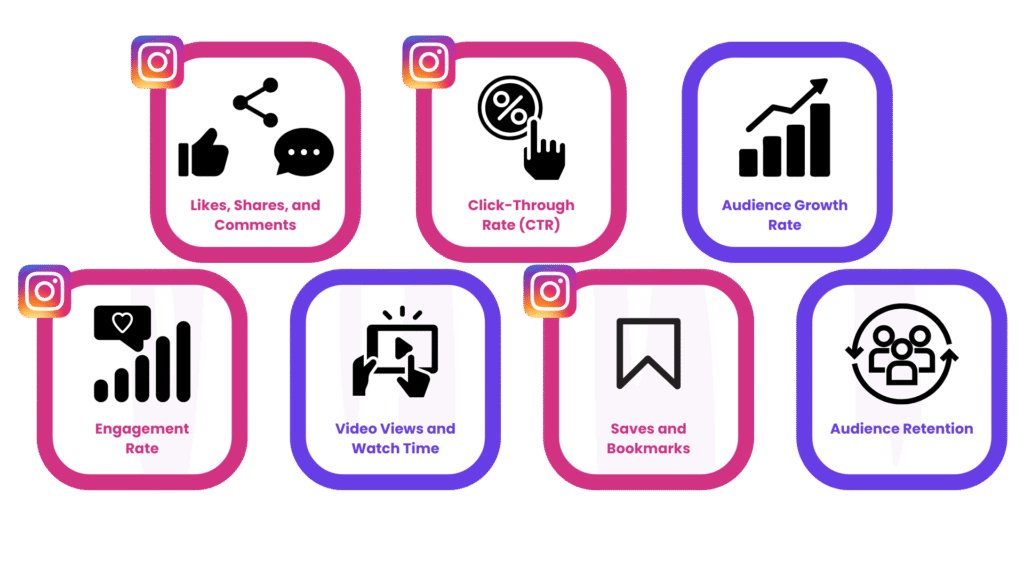
Caption and Hashtag Differences
TikTok captions are typically short, punchy, and rely on trending sounds or hashtag challenges for discovery. Instagram Reels captions can be longer and benefit from a mix of niche hashtags and broader category tags. When you automate how to link TikTok to Instagram, ensure your tool allows per-platform caption customization rather than blindly copying the TikTok caption.
Audio and Music Licensing
A frequently overlooked aspect of how to link TikTok to Instagram is audio licensing. TikTok has its own music licensing agreements that do not always carry over to Instagram. A trending sound on TikTok may be muted or flagged on Instagram due to different licensing terms. Before automating your workflow, verify that the audio in your videos is available on both platforms, or consider using royalty-free music from libraries like Epidemic Sound that cover both platforms.
Cover Images and Thumbnails
Instagram allows you to select a custom cover image for Reels, which appears on your profile grid. TikTok does the same, but the aspect ratios and visual expectations differ. A polished Instagram grid with consistent cover images signals professionalism, so take the time to create platform-specific thumbnails rather than using auto-generated frames. This is a detail that separates creators who truly understand how to link TikTok to Instagram from those who simply repost blindly.
Understanding Technical Limitations
When automating how to link TikTok to Instagram via API integrations, it is crucial to understand the underlying rate limits that platforms impose. These limits exist to prevent spam and ensure platform stability, but they directly impact how many videos can be processed or uploaded automatically within a given timeframe.
TikTok API Daily Posting Limits
The TikTok Content Posting API enforces a standard quota of approximately 15 video uploads per 24-hour rolling period for most creator accounts. This limit applies specifically to videos uploaded via API endpoints and does not affect manual in-app uploads.
| Account Type | Daily Upload Limit (24h) | Notes |
|---|---|---|
| Standard Creator Account | ~15 posts | Rolling window resets |
| Unaudited API Client | Limited to 5 test users | Development phase only |
| Business / Verified Partners | Variable (custom quotas) | Requires partnership agreement |
Exceeding these limits results in a 403 spam_risk_too_many_posts error, effectively blocking further API-based uploads until the quota resets. For agencies or managers handling multiple client accounts, this necessitates careful scheduling. Tools like Repostit manage request queues internally to prevent rate-limit collisions across accounts.
File Upload Specifications
Beyond frequency limits, the API enforces strict technical specifications for video files. Many failed uploads stem from files that do not meet these requirements:
| Specification | Requirement | Notes |
|---|---|---|
| Format | .mp4, .mov, .webm |
.avi and .mkv are rejected |
| Duration | 3 seconds minimum, up to 10 minutes | Maximum varies by region |
| File Size | 4GB maximum | Recommended under 500MB for reliability |
| Chunk Size | 5MB (5,242,880 bytes) | Required for FILE_UPLOAD method |
| Resolution | 720p minimum recommended | Below 720p may be deprioritized by both platforms |
Common Mistakes When Linking TikTok to Instagram
Even experienced creators make avoidable errors when setting up cross-posting workflows. Understanding these pitfalls is essential to successfully implementing how to link TikTok to Instagram without sabotaging your own reach. The following table summarizes the most common mistakes and how to avoid them:
| Mistake | Impact | Solution |
|---|---|---|
| Leaving watermarks visible | Instagram suppresses reach on watermarked Reels | Always use watermark-free source files or automated removal |
| Identical captions on both | Mismatched hashtag ecosystems reduce discoverability | Customize captions and hashtags per platform |
| Posting at the same time | Misses platform-specific peak engagement windows | Stagger posts by 2–4 hours minimum |
| Ignoring safe zone differences | Critical text/visuals hidden by Instagram’s UI overlays | Test how content renders on both platforms before publishing |
| Not tracking performance separately | Cannot optimize per-platform strategy | Use each platform’s native analytics independently |
Step-by-Step Summary: How to Link TikTok to Instagram
To consolidate everything covered in this guide, here is the concise step-by-step process for how to link TikTok to Instagram effectively:
- Create your video using your preferred editing tool or TikTok’s built-in editor.
- Save the clean file to your device before publishing to TikTok.
- Publish to TikTok with platform-optimized captions and hashtags.
- Upload to Instagram Reels using the clean file, with a separate caption, hashtag set, and custom cover image.
- Or automate steps 2–4 using Repostit to handle watermark removal, caption customization, and scheduled publishing automatically.
- Monitor analytics on both platforms independently and adjust your strategy based on performance data.
Method Comparison: Manual vs. Automated
Choosing the right approach for how to link TikTok to Instagram depends on your volume and workflow complexity. Here is a direct comparison:
| Factor | Manual (Pre-Save) | Automated (Repostit) |
|---|---|---|
| Setup Time | None | 5–10 minutes (one-time) |
| Per-Post Effort | 5–15 minutes per video | Zero (fully hands-free) |
| Watermark Removal | Manual (save before posting) | Automatic |
| Caption Customization | Manual per platform | Template-based, per platform |
| Scheduling | Manual timing | Automatic peak-time scheduling |
| Scalability | 3–5 posts/week maximum | Unlimited accounts and posts |
| Cost | Free (your time) | Free 14-day trial, then paid plans |
Frequently Asked Questions
Related Resources
Continue exploring how to grow your cross-platform presence:
- TikTok to Instagram Reels Guide: Deep dive into automated Reels cross-posting with step-by-step walkthroughs.
- TikTok Watermark Removal: Learn why removing watermarks is critical and how to do it automatically.
- Content Repurposing Guide: Master the art of maximizing every piece of content across all platforms.
Official Platform Guidelines
- TikTok Community Guidelines: TikTok’s official content and community standards.
- Instagram Reels Guidelines: Meta’s official guidelines for Reels content.
- TikTok Content Posting API: Technical documentation for the TikTok developer API.
Start Linking TikTok to Instagram Today
Now you know exactly how to link TikTok to Instagram, from the simple profile link to full automated cross-posting. The profile link method takes 30 seconds but only directs followers. Manual downloading works but wastes hours every week. Automated workflows with Repostit give you the best of both worlds: zero effort, watermark-free content, and optimized scheduling across platforms.
The most successful creators in 2026 do not choose between TikTok and Instagram — they dominate both. Once you have implemented how to link TikTok to Instagram using the methods in this guide, you will spend less time on manual busywork and more time creating content that grows your audience on every platform.