Repostit
How to Repost Top-Performing Content Automatically (Without Spamming Your Audience)
· 11 min read
How to Repost Top-Performing Content Automatically (Without Spamming Your Audience)
The safest way to automate your best content is to build a selective loop: identify posts that beat a fair baseline, remove anything outdated or rights-restricted, refresh the presentation, send one test to the correct destination, and automate only after that test is live and correct. Reposting everything is not a strategy. Reusing proven, still-useful work is.
This guide shows the full workflow, including the part most automation tutorials skip: deciding what deserves another distribution cycle.
The top-performing content automation loop
Use this sequence:
- Compare each post with similar posts from the same platform and format.
- Shortlist evergreen winners using more than one signal.
- Check ownership, accuracy, platform fit, and audience fatigue.
- Choose whether to repost, refresh, or retire each candidate.
- Build a route from one approved source to one destination.
- Publish a low-risk test and inspect the public result.
- Add destinations gradually, then review performance after a complete measurement window.
The key distinction is between content selection and content distribution. Analytics help you choose the winner. A tool such as Repostit handles repetitive distribution, scheduling, resizing, caption support, and backup for supported workflows. A person should still own the rights check, the message, and the final decision to keep a workflow running.
What counts as “top-performing” content?
A viral spike is not automatically a reusable asset. A useful repost candidate performs above your normal baseline and remains relevant to the next audience that will see it.
Start by grouping comparable posts. Do not compare a 12-second tutorial with a 20-minute interview, or a TikTok with a YouTube video. Compare the same platform, format, objective, and a similar publishing period.
For a simple first pass, use the median of your last 20 comparable posts. A post becomes a candidate when it clearly beats that median on at least two signals that match your goal:
| Goal | Primary signal | Supporting signal | Warning signal |
|---|---|---|---|
| Reach | Qualified views or unique viewers | Completion rate | High impressions with weak watch time |
| Engagement | Shares and saves | Meaningful comments | Likes without retention or action |
| Acquisition | Profile visits or link clicks | Trial starts or leads | Reach with no qualified next step |
| Education | Completion rate | Saves, rewatches, or replies | Early drop-off on the key explanation |
There is no universal multiplier that works for every account. As a starting rule, flag content that is at least 50% above the median on two useful signals, then review it manually. Once you have enough history, replace that rule with a percentile or score based on your own account.
Likes alone are a weak selection rule. They can tell you that a post was pleasant, but not whether people watched, saved, shared, or took the action the post was meant to produce.
Repost, refresh, or retire?
Before adding a candidate to an automated route, make one of three decisions.
| Decision | Use it when | What to do |
|---|---|---|
| Repost | You own the content, the facts and offer are current, the format still fits, and the audience has not seen it recently | Keep the core creative; adapt only the platform-specific packaging |
| Refresh | The idea is strong but the hook, caption, examples, visual pace, call to action, or format is dated | Update the weak layer while preserving the proven idea |
| Retire | Rights are unclear, the claim is obsolete, the offer has ended, the asset carries another platform’s watermark, or repeated tests no longer hold attention | Remove it from the automation library |
This gate prevents the most common automation failure: turning one good result into an endless loop of stale duplicates.
Step 1: Build a candidate list from analytics
Export or review enough history to smooth out one-off events. Record the source platform, post URL, format, topic, publish date, reach, retention, saves, shares, conversions, and any paid promotion. Mark campaigns, collaborations, giveaways, or news events that inflated distribution. Those posts may have succeeded for a reason that will not repeat.
Then ask four questions:
- Did the post solve an evergreen problem?
- Did it outperform similar posts without paid support?
- Is the original audience different from the next destination audience?
- Is the result strong enough to justify another slot in the content calendar?
If the answer to any of these is unclear, keep the post in review rather than automatically publishing it.
A practical winner score
You do not need a complex model. A transparent score is easier to audit:
Winner score =
  40% retention or completion
+ 30% shares and saves
+ 20% qualified clicks or conversions
+ 10% comments with clear intent
Normalize each input against the median for the same format. Change the weights if your objective is different. A brand-awareness account may weight reach more heavily; a SaaS account should give more weight to qualified clicks and activated trials.
The point is not the exact formula. It is to stop a large view count from overruling every other signal.
Step 2: Check rights, originality, and relevance
Only automate content you created or have permission to publish. Music, stock footage, customer clips, creator collaborations, and licensed assets can have platform- or territory-specific restrictions. A file in your media library is not proof that you can distribute it everywhere.
Originality also affects distribution and monetization. TikTok says reproduced or unoriginal material without new creative changes can be ineligible for the For You feed, and it prohibits automation used for bulk account operation, high-volume commercial distribution, or artificial engagement. YouTube’s monetization policy similarly distinguishes meaningful transformation from repetitive, mass-produced, or minimally changed reused content. See the official TikTok Integrity and Authenticity guidelines and YouTube channel monetization policies.
If you are redistributing your own original video, keep the clean source file. Remove platform watermarks where you have the right to do so, but do not treat watermark removal as permission to copy someone else’s work.
Run a freshness check as well:
- Are the facts, prices, product screens, and links still correct?
- Does the caption refer to a date or event that has passed?
- Is the call to action still available?
- Would the same hook make sense to a person seeing it today?
When the answer is no, refresh or retire the asset.
Step 3: Adapt the post for the destination
Cross-platform reposting works best when the core idea stays consistent but the packaging feels native. That usually means reviewing:
- the first one to two seconds of the video;
- safe zones for on-screen text and interface overlays;
- caption length and line breaks;
- thumbnail or cover frame;
- tags, mentions, and links;
- the call to action;
- audio rights on the destination platform.
Do not rewrite a caption merely to make it different. Change it when the audience, context, or next action is different. A useful adaptation might turn “full tutorial in bio” into a direct question for a platform where links are not the primary action.
If the creative has already circulated several times on the same account, make a material refresh: open with a different proof point, cut a slower section, add a new example, or answer a comment the original version created. Minor cosmetic changes are not a substitute for new value.
Step 4: Build one automation route
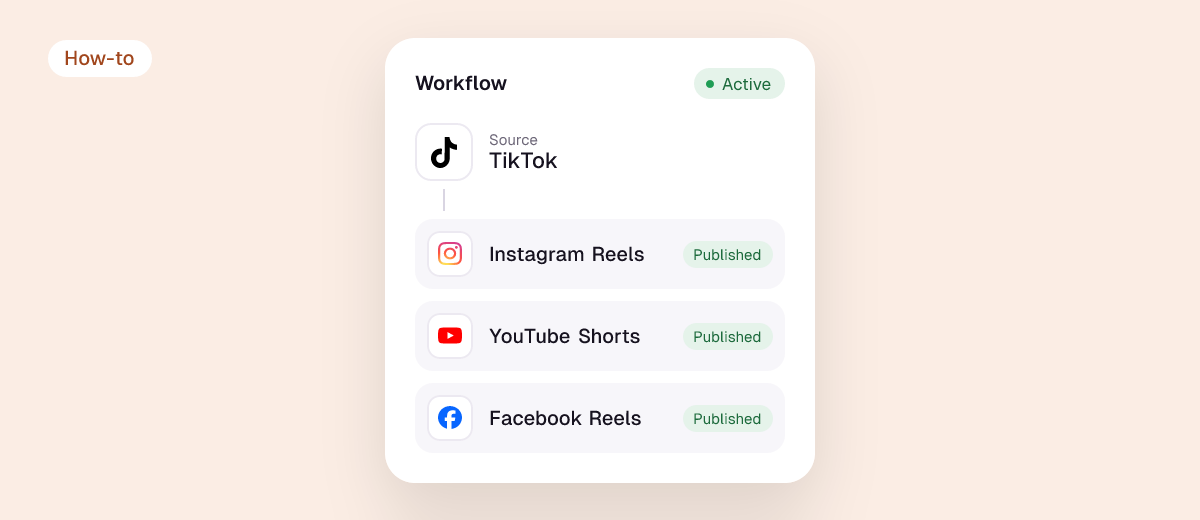
Start with a single source and destination. In Repostit, that means connecting the accounts you control, choosing the approved video, setting the destination, reviewing the schedule and any caption or formatting changes, and keeping a backup of the clean source.
Do not turn on every possible route at once. One simple route makes failures diagnosable:
Approved source video
    → destination-specific review
    → scheduled test
    → public destination check
    → ongoing route
The Repostit features page describes cross-platform reposting, scheduling, content-calendar management, backups, resizing, and caption support. Use only the destinations and permissions currently visible in your own Repostit account; platform access can vary by account type and authorization state.
For a broader setup, see the automatic video reposting tool guide and the 30-day content repurposing calendar.
Step 5: Run a canary post before scaling
Schedule one low-risk post. When it publishes, inspect it on the destination platform itself—not only in an automation dashboard.
Verify:
- the correct account, Page, or channel received the post;
- the video is complete and the aspect ratio is correct;
- captions, tags, mentions, audio, and links work;
- no unexpected watermark or crop appeared;
- the post is public at its normal URL;
- the automation did not create a duplicate.
If the destination result is wrong, pause the route and fix the cause. A failed canary is useful evidence. Ten repeated failures are just noise.
Step 6: Choose a sensible repost interval
There is no universal “wait 90 days” rule. The right interval depends on audience growth, content volume, platform, topic, and how memorable the post is.
Use a longer interval when the same followers are likely to see both versions. A shorter interval can make sense when you are moving the asset to a different platform, introducing it to a largely new audience, or materially refreshing the creative.
A conservative starting policy is:
- do not repeat the same asset on the same account while it is still receiving meaningful distribution;
- leave enough space for fresh work between recycled posts;
- cap how many recycled items can enter any weekly queue;
- pause a candidate after a weak repeat instead of automatically scheduling it forever.
The calendar should contain a mix of new, refreshed, and proven material. Automation should protect that balance, not replace it.
Step 7: Measure whether the repost added value
Judge the repost against an appropriate baseline after a complete measurement window. Track:
- incremental qualified reach;
- completion or retention relative to similar posts;
- saves, shares, and comments with intent;
- profile visits, link clicks, trial starts, or leads;
- publishing failures and duplicate incidents;
- unfollows, hides, or negative feedback;
- production and distribution time saved.
For cross-platform distribution, compare the repost with other posts on the destination platform. Comparing a YouTube Short directly with the source TikTok view count can hide differences in audience size and recommendation systems.
Classify each test:
- Winning: it added qualified reach or conversions without a meaningful negative signal.
- Neutral: it published correctly but produced little incremental value.
- Losing: it underperformed the destination baseline, caused fatigue, or created operational problems.
- Inconclusive: the sample or observation window is too small.
Keep winners in the library, refresh neutral posts only when the idea still matters, and remove losers from the route. That feedback loop is what makes the automation improve over time.
Example: one proven tutorial, three controlled uses
Imagine a 25-second tutorial that explains how to turn one long video into three Shorts. It earned strong completion, saves, and trial clicks on TikTok.
Instead of scheduling the identical file everywhere on the same day:
- keep the clean original and confirm music rights;
- tighten the opening for Instagram Reels and select a readable cover;
- write a search-oriented YouTube title and description;
- send the Instagram version first and inspect the public Reel;
- activate the YouTube route only after the first destination is correct;
- compare each result with that platform’s normal short-form baseline;
- revisit the source later only if a new example or audience question justifies a refreshed version.
The content is reused, but the decision process is not mechanical. Each destination gets an intentional version and a measurable reason to exist.
What not to automate
Keep these outside an always-on repost queue:
- breaking news, limited offers, event reminders, and dated statistics;
- customer or creator content without explicit publishing rights;
- assets with unclear music or footage licenses;
- posts tied to a platform feature that no longer exists;
- content that recently received negative feedback or a policy warning;
- the same creative sent repeatedly to overlapping audiences;
- any workflow whose first public post has not been checked.
TikTok explicitly prohibits automation used for platform manipulation or high-volume spam. YouTube can treat mass-produced or repetitive content as inauthentic for monetization purposes. Automation should reduce repetitive work, not imitate repetitive behavior.
Frequently asked questions
Will reposting the same video hurt reach?
No platform promises a fixed outcome. Reposting your own useful content can reach a new audience, especially on a different destination, but repetitive or low-value distribution can create audience fatigue and may run into originality or spam policies. Refresh the context, space repeats sensibly, and measure the destination result.
How often should I repost a top-performing post?
Use your audience overlap and performance data rather than a universal interval. Do not repeat an asset while the original is still distributing. On the same account, place fresh work between recycled posts. Across platforms, you can test sooner because the audience and recommendation system are different.
Can automation choose the winners for me?
It can shortlist candidates from rules, but a human should review rights, freshness, brand risk, and platform context. A high score cannot detect every expired offer, licensing restriction, or misleading claim.
Should I delete the original before reposting?
Usually no. The original is your performance record and may still earn discovery. Remove it only for a clear reason, such as an inaccurate claim, rights issue, or policy problem—not merely to make the repost look new.
Can I repost someone else’s high-performing content?
Only when you have the necessary permission or a platform-native sharing path that preserves attribution. Downloading, removing a watermark, and uploading another creator’s work is not a rights strategy.
A final checklist
Before an automated repost goes live, confirm:
- ☐ The candidate beat a comparable baseline on more than one meaningful signal.
- ☐ The topic, facts, links, and call to action are still current.
- ☐ You own the content or have permission for every included asset.
- ☐ The destination version fits the platform and adds appropriate context.
- ☐ The route points to the correct account, Page, or channel.
- ☐ One low-risk test was checked at its public destination URL.
- ☐ Duplicate protection and a pause rule are in place.
- ☐ Success and failure metrics have been defined before scaling.
Once those checks pass, automate the repetitive distribution work and keep the editorial judgment human. That is how top-performing content becomes a durable library instead of a spam loop.
Sources and methodology
This update was prepared from the Repostit page’s current Google Search Console query/page association, a live Google results review, the existing Repostit content inventory, the public Repostit feature page, and official platform policies. No Ahrefs or Semrush account metrics were available for this run, so no search-volume or keyword-difficulty number has been invented.
Platform guidance can change. Review the current TikTok Integrity and Authenticity guidelines, YouTube channel monetization policies, and Meta Recommendation Guidelines before changing a production workflow. Google’s people-first content guidance explains the editorial standard used for this refresh.