Repostit
How to Use Automation to Repost Your Top-Performing Content Across Channels
· 5 min read
Your best videos are your most reliable content: they’ve already proven the hook, the topic and the edit work. Reposting them, to apps that never saw them or to the same app months later, is one of the cheapest ways to grow. Automation makes it a five-minute setup instead of a weekly chore.
Here’s the full method: how to find your top performers, the three ways to repost them, how to automate each one, and the rules that keep reposts from looking like spam.
The short version
- Find your top 10–20% of videos by watch time and shares in each app’s analytics.
- Send them to apps that haven’t seen them (TikTok → Reels, Shorts, Facebook). This is the biggest win and the safest.
- Reschedule evergreen winners on the same app after 60–90 days, with a new hook or caption.
- Automate with a workflow that publishes on a schedule, e.g. one old winner per day, so you never flood followers or hit posting limits.

Step 1: find your top-performing content
Views alone are misleading: a video can get views from a lucky push and still lose viewers in the first second. Rank by the metrics that predict a repost will work again:
| Metric | Where to find it | Why it matters |
|---|---|---|
| Average watch time / % watched | TikTok and YouTube Studio analytics, Instagram Reels insights | Shows the video holds attention on its own |
| Shares and saves | Each app’s post insights | Strongest signal of content people value |
| Follows from the video | TikTok and Instagram insights | Shows it converts viewers into audience |
| Comments | Post page | Topics that start conversation travel well |
Then filter for evergreen videos: no expired offers, trends, dates or seasonal references. A tutorial, a product demo, a story or a tip will repost well; a reaction to last month’s trend usually won’t.
Exclude anything you shouldn’t repost: paid partnerships with time-limited rights, videos using licensed music that won’t carry over, and anything posted under another creator’s permission.
Step 2: choose the right kind of repost
| Type | What it is | Risk | Best for |
|---|---|---|---|
| Cross-platform | TikTok winner → Instagram Reels, YouTube Shorts, Facebook Reels (and back) | Low, if it has no other app’s watermark | Every creator, first |
| Same-app refresh | Re-upload a winner on the same app months later | Medium: duplicate-looking uploads can get limited reach | Large back catalogues, new followers since |
| Native repost button | TikTok or Instagram “Repost” to your followers’ feeds | None, but small reach | Reminding current followers |
Start with cross-platform. Your Instagram and YouTube audiences have usually never seen your TikTok winners, so to them it’s new content.
Step 3: automate it
Automating new top content (going forward)
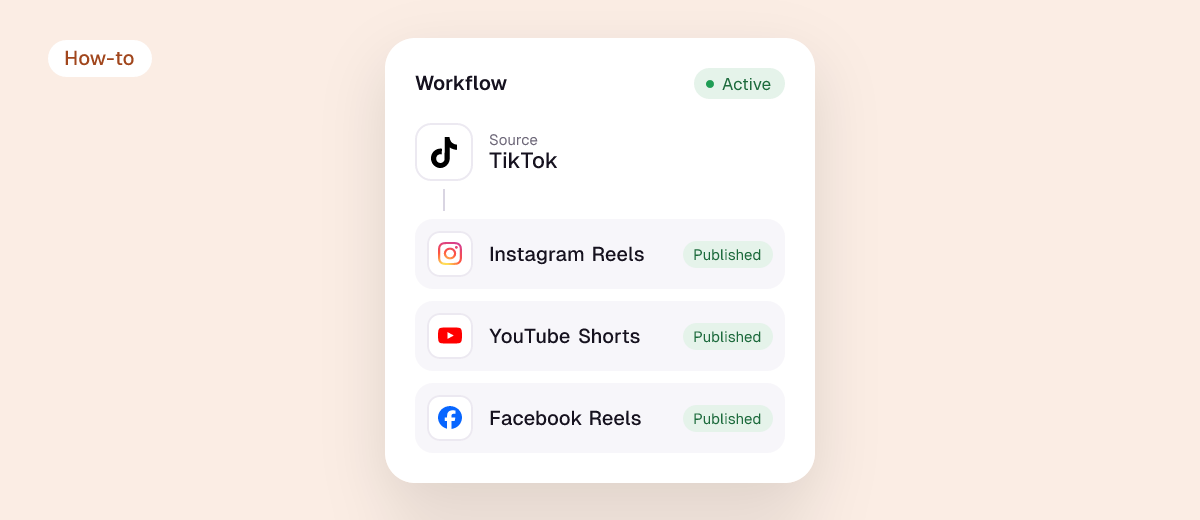
The simplest automation is to send every new video to your other apps automatically. Your winners are included by default, and you don’t need to predict which ones they’ll be. In Repostit this is a Future workflow: post on TikTok, and the video is published to Reels, Shorts and Facebook without the watermark, resized and with your caption.

Automating your back catalogue of winners
For videos you’ve already posted, use an Existing workflow on Manual:
- Create a workflow from your main account to the apps that haven’t seen your back catalogue.
- Set it to Manual. Repostit collects your existing videos, and you choose which ones to publish, so you pick only the winners from Step 1.
- Send them on a schedule, for example one a day, rather than all at once. That keeps you well inside each app’s daily posting limits and doesn’t flood your followers.
- Check the first few on each app (account, full video, caption, sound), then let the schedule run.
More detail: how auto-publishing works and how to repost old TikTok videos.
Same-app refreshes
For reposting on the same app, change something meaningful: a new opening line or hook, a new caption and cover, or a re-cut that tightens the first two seconds. Space refreshes 60–90 days apart. In October 2026 YouTube was reported to be reducing reach for republished Shorts that add nothing new, so make same-app reposts genuinely improved versions.
Rules that keep reposting healthy
- Never repost with another app’s watermark. Instagram and YouTube show watermarked videos from other apps to fewer people. See removing the TikTok watermark before reposting.
- Adapt captions per app. Hashtags and length norms differ.
- Post at each app’s best times, not all at once. See best times to post.
- Only repost what you own or have rights to. Reposting other creators’ videos as your own gets reach cut and can trigger copyright claims.
- Measure the reposts. After 30 days, compare reposted winners against new content on each app. Keep doing what works.
Example: a weekly system for a solo creator
- Daily: post one new TikTok. A Future workflow publishes it to Reels, Shorts and Facebook automatically.
- Daily: an Existing workflow publishes one past winner to an app that hasn’t seen it.
- Monthly: check analytics, add the new top videos to the winners list, and refresh one evergreen winner on TikTok with a new hook.
That’s 5 posts a day across four apps from one new video, with about 15 minutes of work a month.
FAQ
How do I use automation to repost top-performing content?
Identify winners by watch time and shares, then use a reposting tool to publish them to other apps on a schedule. New videos can be cross-posted automatically as you publish them; old winners are picked once and drip-fed, for example one a day.
Can a tool pick my top videos automatically?
Sending every new video to every app achieves the same result without guessing. For old videos, picking winners yourself from analytics takes a few minutes and avoids reposting content that shouldn’t be.
Is it OK to repost the same video on the same platform?
Occasionally, if it’s evergreen, spaced months apart and improved (new hook, caption or edit). Frequent identical re-uploads can be treated as duplicate content.
How often should I repost old content?
One old winner a day per app is a good ceiling. It’s enough to fill gaps without crowding out new content.
Do reposts hurt reach?
Clean cross-platform reposts don’t. Watermarked copies and unchanged same-app duplicates can. See does repurposing hurt reach?