 Repostit
Sharing TikTok Videos: A Step-by-Step Guide
· 3 min read
Automatically Repost TikTok Videos to Instagram Without the Hassle
How to Sharing TikTok Videos on Instagram Automatically: Reposting videos to Instagram can save you time and expand your reach, but doing it manually can be a headache. Between watermark issues, mismatched formats, and scheduling conflicts, your content can easily lose quality or visibility.
This guide walks you through how to automatically repost TikTok videos to Instagram, the common challenges you’ll face, and the best tools (including Repostit) to make the process seamless and professional.
TikTok’s Share to Instagram
What it is: TikTok has a built-in “Sharing TikTok Videos” option that lets you send your video straight to Instagram Reels or Stories right after posting.
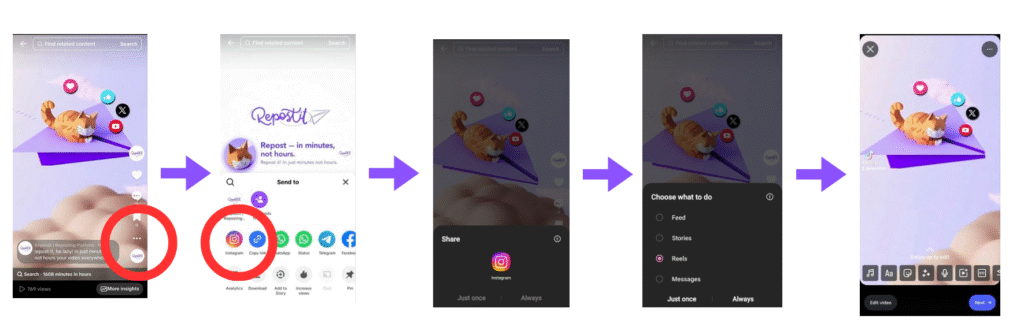
Why it matters: It’s quick and convenient, no extra apps or downloads needed. But there’s a catch: your shared video keeps the TikTok watermark, which can hurt your reach on Instagram and make your content look recycled.
More information can be found on TIkTok website.
TikTok Watermark Problem
What it is: TikTok videos usually have a watermark with the TikTok logo and username. If Sharing TikTok Videos directly to Instagram, it can reduce reach and engagement because Instagram’s algorithm favors content that looks native to the platform.
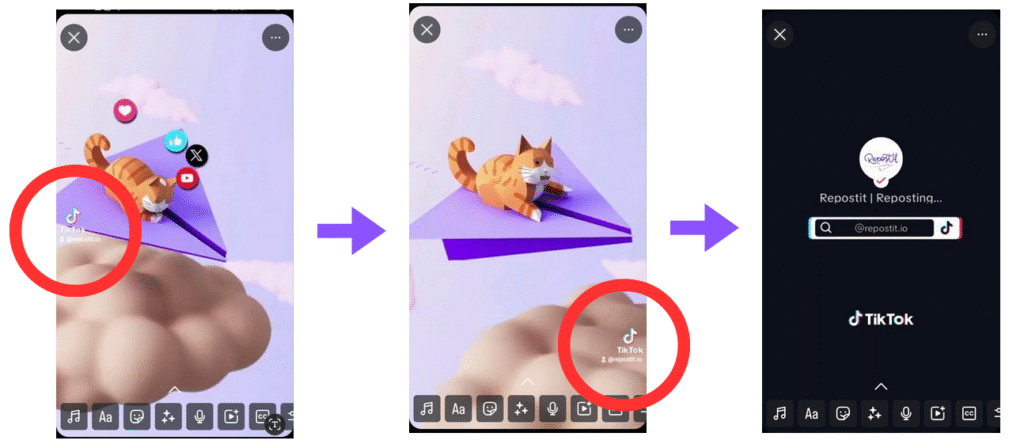
Why it matters: Videos with watermarks can appear less professional and may be penalized by Instagram’s algorithm.
Solutions:
- Export the video and Edit your video in third-party apps: Apps like CapCut, InShot, or Canva let you crop, blur, or cover the TikTok watermark before reposting.
- Use automation tools that remove watermarks: Tools like Repostit can automatically repost videos without the TikTok watermark.
Aspect Ratio Mismatches
What it is: TikTok videos are usually 9:16 (vertical), while Instagram supports multiple formats (Reels: 9:16, Feed: 1:1, Stories: 9:16). Posting without adjustments can cause black bars, cropping, or awkward framing.
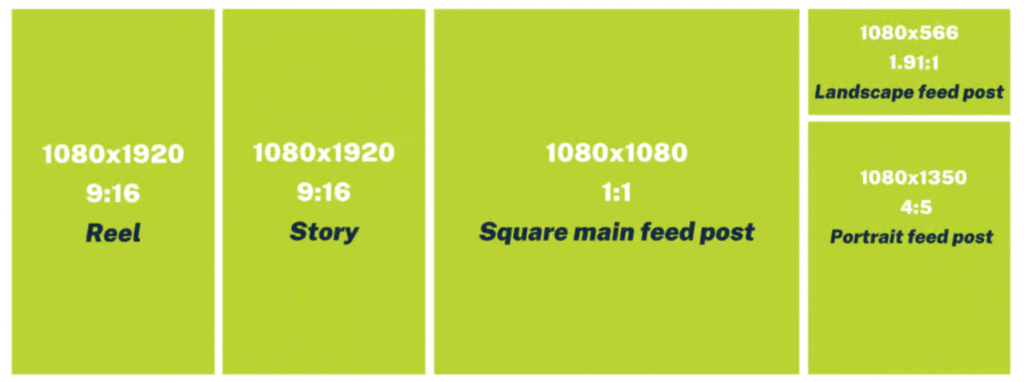
Why it matters: Misaligned aspect ratios make videos look unprofessional and may hurt engagement.
Solutions:
- Pre-edit videos: Tools like CapCut, InShot, or Canva let you adjust canvas size before posting.
- Preview before posting: Some platforms (Later, Metricool) allow you to preview how your video will look on Instagram.
- Use crossposting tools with auto-resize: Repostit automatically adapts your TikTok video to fit Instagram’s recommended dimensions.
Repostit: How to Repost TikTok Videos on Instagram Automatically
If automation is your goal, Repostit is the tool that makes your life effortless. Unlike other tools that require manual scheduling or repetitive uploads, Repostit can automatically repost your TikTok videos to Instagram (and other platforms) without losing quality or adding watermarks.
Why Repostit Stands Out
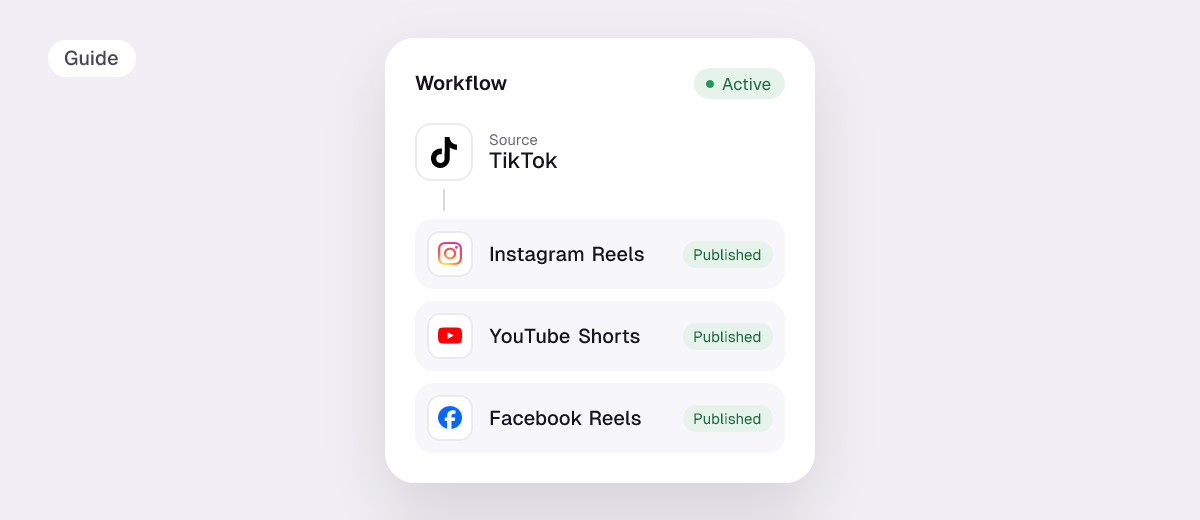
- Full automation: Post once on TikTok, Repostit handles the rest.
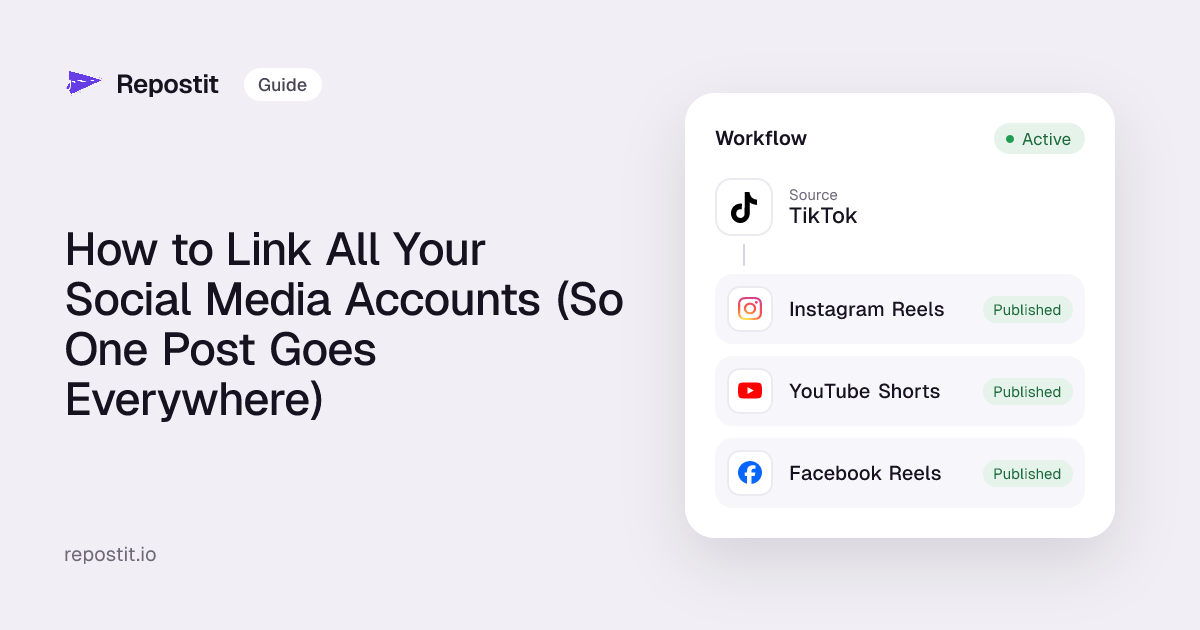
- Multi-platform support: Not just Instagram, share to YouTube Shorts, Facebook Reels, and more.
- No watermarks: Keep your content clean and professional.
- YouTube-friendly: Perfect for solo creators, small teams, or agencies looking to manage crossposting across TikTok, Instagram, and YouTube effortlessly.
- Bonus: Includes a built-in Clip Generator to quickly create short, platform-ready videos without extra editing tools.
Whether you’re a busy creator, a social media manager, or an entrepreneur trying to maintain a consistent content pipeline, Repostit saves hours every week and ensures your videos look native on Instagram.
Other Third party (2026 Guide)
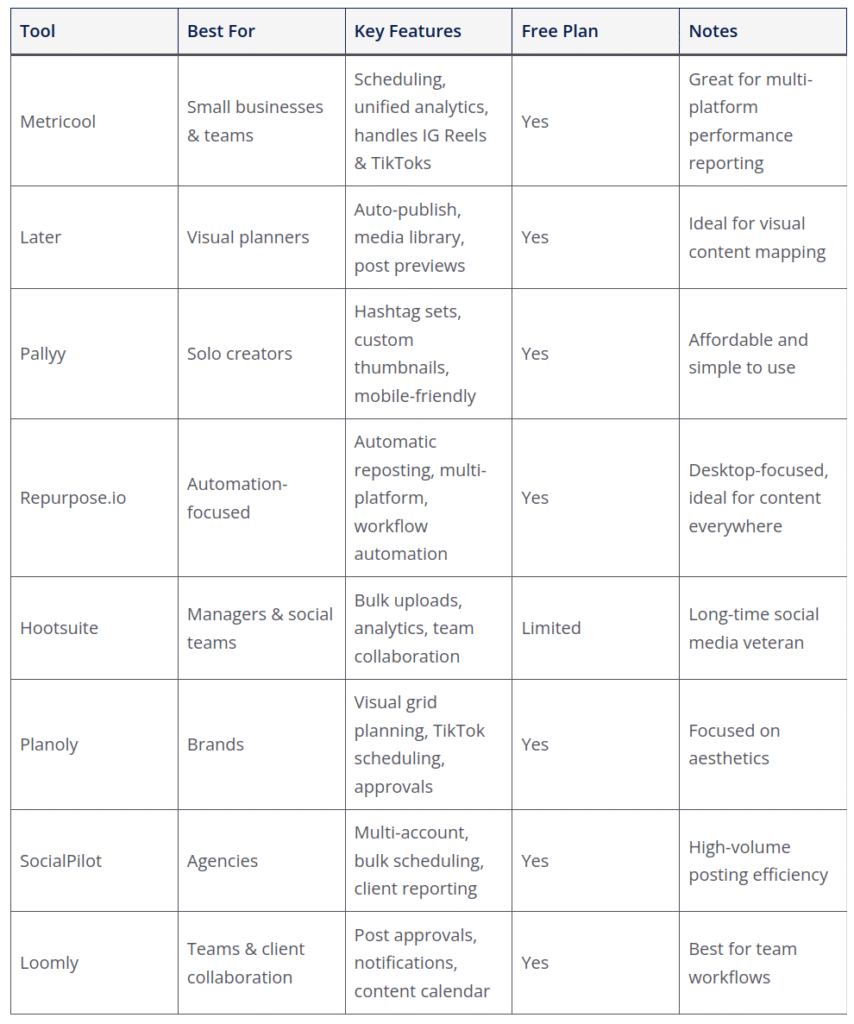
While Repostit is excellent for fully automated reposting, it’s not your only option. Depending on your workflow, team size, or budget, there are several other reliable tools that make sharing TikTok videos to Instagram easier:
Conclusion
Reposting TikTok videos to Instagram doesn’t have to be time-consuming or complicated. By understanding common challenges, like watermarks, aspect ratio mismatches, and scheduling conflicts, and using the right tools, you can streamline your content workflow and maintain a professional, polished presence across platforms.
Repostit stands out for full automation, but other tools like Metricool, Later, Pallyy, and Repurpose.io also offer reliable solutions depending on your needs. The key is to choose a tool that fits your workflow, whether you’re a solo creator, small team, or agency, and stick with it consistently.
With the right strategy and automation in place, you can save hours every week, maximize your reach, and ensure your TikTok content looks native and engaging on Instagram. Start experimenting today, and turn crossposting from a chore into a seamless part of your social media routine.