 Repostit Team
How to Repurpose Content for Pinterest: Fresh Pins, Video Pins, and an API Reality Check
Quick answer: the best way to repurpose content for Pinterest
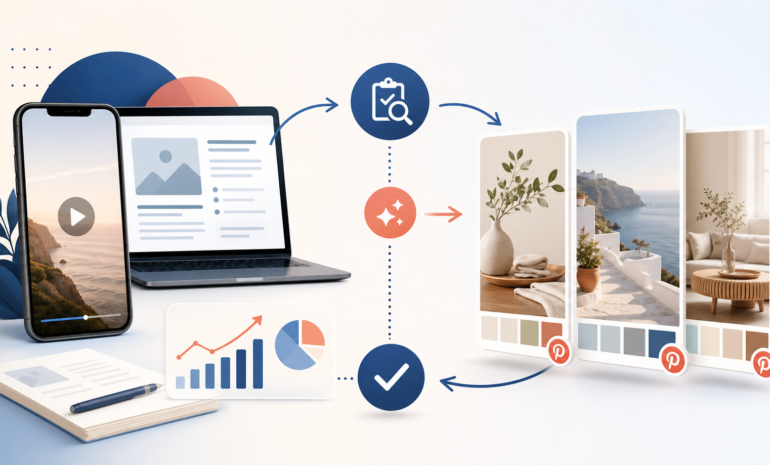
The most reliable workflow is not to copy a TikTok, Reel, or blog post unchanged. Choose an evergreen idea, confirm that you own the asset and its music or licensed elements, extract one useful promise, rebuild the creative for Pinterest’s visual and search-led context, add a clear destination link, and publish a small test before producing a larger batch. Use Pinterest’s native publishing tools for the final creative decisions. Use the Pinterest API only when you have an approved app, the right OAuth scopes, and a real need to publish content you created at scale.

This distinction matters because a Pinterest Pin is not merely another copy of a social post. Someone may discover it weeks or months after you publish it, when the title, image, landing page, offer, and factual claims still need to make sense. A good repurposing system therefore has two separate jobs: select the source idea and package it for Pinterest.
What content can you repurpose for Pinterest?
Start with a content inventory rather than a platform inventory. The same source idea can become several Pinterest assets, but only if the underlying promise remains useful.
| Source asset | Pinterest adaptation | Best destination | Main quality check |
|---|---|---|---|
| Evergreen blog post | One clear visual takeaway, checklist, or step sequence | The full article | The Pin must deliver a useful preview, not a vague teaser |
| Short-form video | Clean vertical cut with a self-contained hook and readable pacing | A guide, product page, or video landing page | Remove unrelated platform packaging and verify rights |
| Carousel or slide deck | One idea per Pin, or a deliberately sequenced set | A resource page or newsletter signup | Do not export tiny text that is unreadable on a phone |
| Product or feature demo | Before/after or workflow Pin | A relevant feature or signup page | Current UI, truthful claims, and accessible destination |
| Customer question | Answer-led visual plus supporting article | The exact answer page | Protect private information and avoid invented testimonials |
Pinterest Business’s own guidance recommends starting with the intended outcome, gathering existing social, web, video, and product assets, choosing a suitable format, and then adding a clear brand signal, call to action, title, and description. That is a useful operating sequence for organic Pins as well as campaigns: decide what the viewer should do before opening a design tool.
Do not use “repurpose” as a reason to publish every file in the library. A post that succeeded because of a short-lived trend, a giveaway, a collaboration, or a time-sensitive announcement may not deserve a second life. Keep the idea if it remains useful; retire the wrapper if the context has expired.
The Pinterest repurposing workflow
1. Choose a source idea, not just a high-view file
Build a shortlist from content that has both evidence and staying power. For a small account, review the last 10 to 20 comparable posts or assets and group them by platform, format, topic, and objective. Do not compare a 15-second tutorial with a long interview or a product launch with an evergreen how-to.
For each candidate, record:
- the source URL or file name;
- the original platform and publication date;
- the problem or question it answers;
- the strongest supporting signal, such as saves, shares, completion, clicks, or leads;
- whether paid promotion, a collaboration, or a news event affected distribution;
- the page that should receive the Pinterest click;
- the reason the idea should still matter to a Pinterest user today.
A useful candidate usually beats the baseline on more than one signal. A large impression count alone does not prove that the topic is valuable, especially if people did not watch, save, click, or take the next step.
2. Run the rights and freshness gate
Only reuse material that you created or are licensed to publish in the new context. Check the video, music, stock footage, fonts, customer footage, creator agreement, and destination URL separately. A file in your own media library is not proof that every element can be distributed to every platform.
Then check freshness:
| Question | Keep | Refresh | Retire |
|---|---|---|---|
| Are the facts and examples current? | Yes | Update the outdated section | No longer accurate |
| Is the offer or link still available? | Yes | Replace the destination | Expired or misleading |
| Does the idea work without the original trend? | Yes | Rewrite the hook for evergreen intent | No useful standalone idea |
| Are the assets licensed for Pinterest? | Confirmed | Replace restricted elements | Unclear rights |
| Has the same audience seen it recently? | Not recently | Change the angle and spacing | Repeated with no new value |
If the rights answer is uncertain, stop the workflow. Do not solve a permissions problem with a downloader, a watermark remover, or a new caption.
3. Extract one Pinterest-sized promise
A blog post may contain 12 ideas. A video may contain five separate answers. A Pin works better when the viewer can understand its promise quickly.
Write one sentence in this format:
After seeing this Pin, the reader will understand how to [specific outcome] and can continue at [relevant destination].
Examples:
- “Turn one approved short-form video into a Pinterest-ready asset without publishing a stale duplicate.”
- “Use a three-step review to decide whether an old tutorial deserves a new distribution cycle.”
- “Compare native Pinterest publishing with API-based publishing before investing in an automated integration.”
The promise should match the destination. Do not send a user from a Pin about Pinterest video workflow to a generic homepage unless the homepage is genuinely the next best step.
4. Rebuild the creative for Pinterest
Pinterest Business recommends adding simple improvements to reused creative: a visible but restrained brand signal, a clear call to action, and useful Pin title and description fields. Treat those as editing requirements, not decoration.
For a static Pin, extract one idea and make the visual understandable without the original caption. For a video Pin, start with the payoff or question, remove platform-specific intros, and check that the first seconds still make sense without sound. For a carousel, avoid turning a dense slide deck into a stack of unreadable screenshots. Recompose the information instead.
Keep the landing page and the Pin aligned:
| Pin promise | Landing page should contain |
|---|---|
| A checklist | The same checklist in a deeper, copyable form |
| A product workflow | The workflow, supported by a clear product explanation |
| A tutorial | The complete steps, prerequisites, and limitations |
| A trend or inspiration idea | A current example and a date or freshness note |
If you use AI to help with a caption, title, or visual variation, review every claim and disclose material AI modification where the platform or campaign context requires it. AI can create options; it does not verify rights, destination accuracy, or product behavior.
5. Write searchable, specific metadata
Pinterest is visual, but the text around the Pin still explains what it is and who should find it. Put the concrete topic in the title, describe the outcome in the description, and use a destination link that resolves to the promised page.
Avoid keyword strings such as “content repurposing Pinterest Pin social media marketing video blog traffic tips.” Write for a person:
Repurpose a short-form video for Pinterest with a rights check, a clear hook, and a destination page that gives the full workflow.
That sentence is more useful than repeating “Pinterest” in every clause. It also leaves room to explain the difference between a standard Pin, a video Pin, and an API-created Pin.
6. Publish one canary before a batch
Do not schedule 30 variations before checking one. Publish a single representative Pin and verify:
- the image or video renders correctly on mobile;
- the title and description match the asset;
- the destination link is correct and uses HTTPS;
- the landing page is available, indexable, and fast enough to use;
- branding is recognizable without dominating the creative;
- the Pin does not depend on a caption from another platform;
- the measurement link records the visit without adding misleading parameters.
After the canary, wait for a meaningful observation window. Then decide whether to keep the format, change the hook, or retire the batch. The goal is learning which source-to-Pin transformation helps qualified visitors, not maximizing the number of files published.
Keep a content record that survives the next campaign
The workflow becomes much easier to repeat when each candidate has a small record. It does not need to be a complex content-operations system. A shared sheet or database is enough if the fields are consistent and someone can see why a Pin was approved.
| Field | Example value | Why it matters |
|---|---|---|
| Source | video-042-clean.mp4 and the original post URL |
Keeps the asset traceable |
| Core idea | “Three checks before automating a repost” | Prevents vague Pin copy |
| Audience | Social teams publishing short tutorials | Keeps the angle specific |
| Pinterest format | Static checklist or video Pin | Drives the creative brief |
| Destination | The matching Repostit guide | Makes the click useful |
| Rights status | Original footage; music cleared for the planned use | Prevents last-minute takedowns |
| Test label | pinterest-canary-2026-08-a |
Separates the result from other campaigns |
| Review date | Seven or more days after publishing | Creates a decision point |
The point of the record is not bureaucracy. It lets you answer simple questions later: which version was published, which link did it use, and why did the team decide to keep or retire it? That history is especially valuable when an API or scheduler is involved, because an automated request can succeed technically while the resulting Pin is still wrong for the audience.
Decide what to automate and what to keep human
Automation is good at repeating a known, reversible step. It is weaker at deciding whether a claim is still true or whether a creator has permission to use a sound. Split the workflow accordingly.
| Step | Good candidate for automation | Keep a human responsible |
|---|---|---|
| Candidate collection | Pull URLs and performance fields into a review list | Decide whether the result was caused by a temporary event |
| Asset preparation | Create a task, resize an approved source, or route a file | Review readability, rights, and platform fit |
| Metadata | Start from a structured title and description template | Check the promise, keywords, and destination match |
| Publishing | Send an approved asset through a tested route | Own the final approval and stop a bad batch |
| Reporting | Tag links and collect clicks or status events | Interpret qualified traffic and activation |
This division also makes failure recovery clearer. If the API returns an error, retry the request only after checking the error and idempotency behavior. If the Pin is live but the destination or creative is wrong, pause the route and correct the source record before trying again. A green automation log is not the same thing as a correct public result.
Pinterest API vs native publishing: what changes?
The Pinterest API is useful when a team is building a real product or internal workflow that needs authenticated publishing, board management, analytics, or other supported capabilities. It is not a shortcut around creative review or Pinterest access requirements.
Pinterest’s current developer documentation for POST /v5/pins says the endpoint creates a Pin on a board or section owned by the operation user. It also states that the function is intended for publishing new content created by the user; saving content created by others is a different action. The documented request includes fields such as title, description, link, alt_text, board_id, and a media source. That gives developers useful control, but it does not make copied content original or licensed.
Access level matters too. Pinterest documents Trial access for exploring API features and Standard access for teams offering Pinterest capabilities to users. Pins and boards created with Trial access are sandbox entities visible only to their creator, while Standard access is intended for production use with higher limits and an approval process. The documentation also describes an OAuth flow and asks for a video demonstration when requesting a Standard upgrade.
Use the API when all of these are true:
- the content is yours or properly licensed;
- the workflow needs programmatic publishing rather than occasional native uploads;
- you can manage OAuth, scopes, privacy information, errors, rate limits, and revocation;
- you have a clear test plan for boards, media, titles, descriptions, links, and analytics;
- someone still owns the editorial and rights decision.
Use native Pinterest publishing when you are testing an idea, posting occasionally, working with curated content, or still deciding whether the channel deserves engineering time. Repostit can help distribute finished, approved short-form assets through supported cross-platform workflows, but it should not be described as a Pinterest API integration unless that specific capability is verified and live.
How to measure whether repurposing worked
Measure the complete path, not just views. A useful minimum scoreboard is:
| Stage | Metric | What it answers |
|---|---|---|
| Discovery | Impressions and saves | Did the idea earn attention or future intent? |
| Visit | Outbound clicks and engaged sessions | Did the Pin promise match the destination? |
| Action | Signup, trial start, lead, or purchase | Did the visit attract the right audience? |
| Quality | Activation or retained use, when available | Did the visitor reach the product’s useful moment? |
| Operations | Failed publishes, corrections, and time per asset | Is automation saving work without adding risk? |
Use separate campaign parameters for each Pin or batch, but keep the landing-page reporting readable. A short-lived spike should not be treated as a permanent channel improvement. Compare like with like: the same content type, objective, audience, and time window.
For Repostit, the important conversion question is not “Did this Pin get attention?” It is “Did an audience that needs repeatable short-form distribution reach the right workflow and start using it?” Link to the most relevant page, explain what Repostit does and does not automate, and keep trial starts separate from activated users.
Common mistakes to avoid
Copying the original social post unchanged
The old hook may refer to a feed trend, a caption, or a sound that is irrelevant on Pinterest. Rebuild the packaging while preserving the factual core.
Treating a watermark as the only problem
Removing a watermark does not create permission. Use an original clean file or a licensed asset, and keep a record of the source and allowed destinations.
Publishing a batch before checking one
A wrong link, unreadable layout, or obsolete claim becomes a batch problem. Canary first.
Using API language as a marketing shortcut
An automation tool, a native Pinterest scheduler, and an approved Pinterest API integration are different things. Describe the actual route a customer can use today.
Sending every Pin to the homepage
Generic destinations create a measurement and user-experience problem. Match each promise to the page that fulfils it.
Chasing impressions without activation
Pinterest can provide discovery, but qualified organic traffic is more valuable than empty reach. Keep a line between saves, clicks, trials, and activated use.
A repeatable Pinterest repurposing checklist
Before publishing a Pin, confirm:
- [ ] The source idea is still useful and beats a fair content baseline.
- [ ] Ownership, music, stock, customer, and collaboration rights are clear.
- [ ] The visual was rebuilt for the Pinterest context, not copied blindly.
- [ ] The title and description say exactly what the viewer will get.
- [ ] The destination page fulfils the Pin promise and is live.
- [ ] The asset has passed one mobile rendering and link canary check.
- [ ] The Pin uses a distinct measurement label or campaign parameter.
- [ ] The workflow records failed publishes and manual corrections.
- [ ] API use, if any, follows Pinterest’s access, OAuth, scope, and sandbox rules.
- [ ] The next review date is set before the batch grows.
For related workflows, see Repostit’s short-form video repurposing workflow, guide to posting one video across supported social platforms, account-linking safety guide, and automatic video reposting tool. If you are deciding how to select proven content before distribution, read the guide to reposting top-performing content automatically.
Sources and methodology
This article was researched against the live Google results for “how to repurpose content for Pinterest” on August 28, 2026. The visible SERP included an AI Overview, Pinterest Business guidance, creator tutorials, and workflow articles. The factual API statements were checked against Pinterest’s official Create Pin documentation, official access-tier documentation, and official guidance on reusing creative assets. The workflow recommendations are editorial synthesis, not a guarantee of rankings, distribution, or AI Overview inclusion.
Pinterest policies, API behavior, media formats, and access requirements can change. Check the current official documentation before implementing a production integration.